 MY BOWLING JOURNEY
A drill is one shot, over and over: the 10 pin, a bucket, the pocket. It's scored as makes out of tries, never as a game, so it can't touch your average.
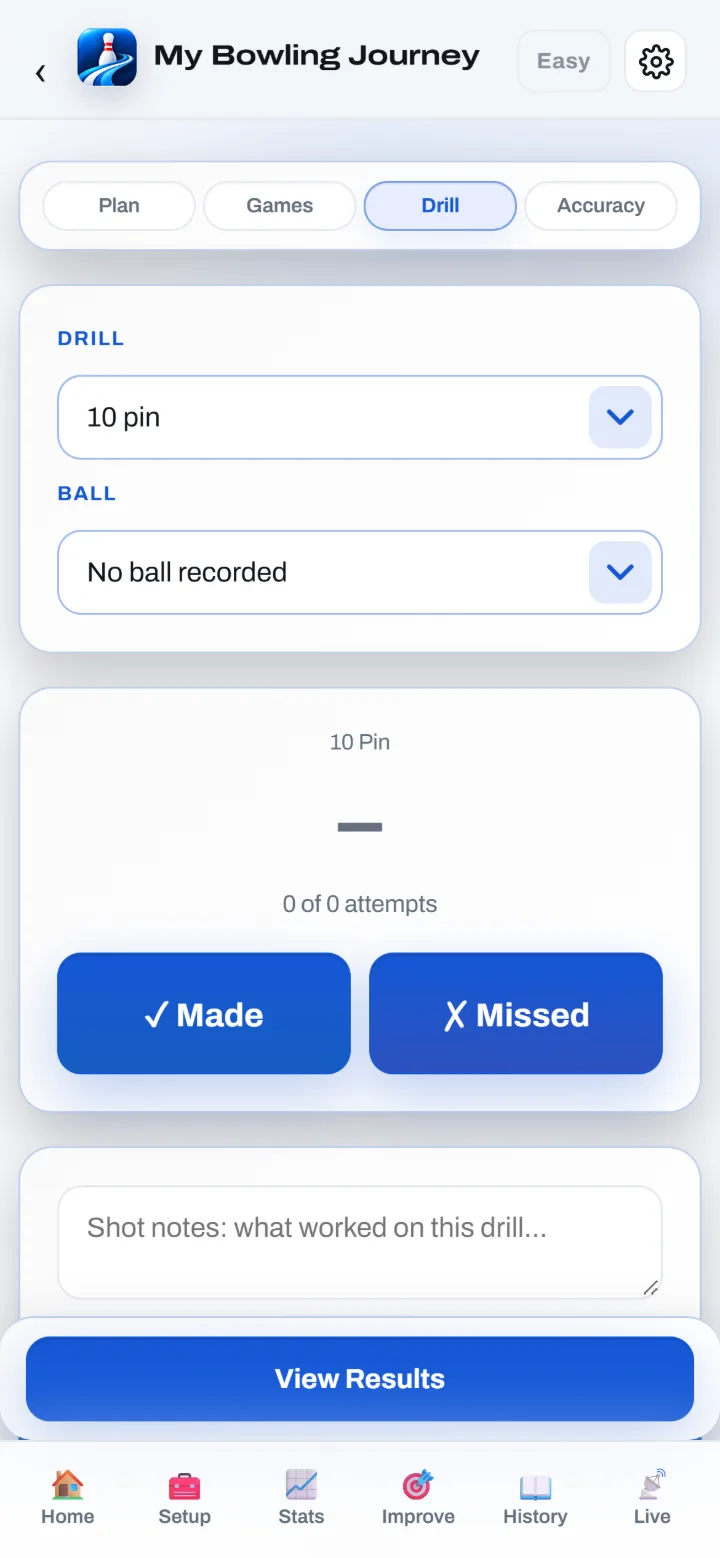
Start a drill
Any of these opens the Drill tab:
- On Home, tap Practice, then Drill.
- On Improve, Goals, tap 🎯 Start a practice drill. It switches you to practice and opens Drill.
- A drill block in a practice plan opens Drill with the spare already picked. See The Practice Plan.
Pick the drill
- Under Drill, pick what you're working on: the 10, 7, 4, 6, 2 or 3 pin, the 3-6-10, 2-4-5, 6-10 or 4-7, Pocket or Custom. It starts on the 10 pin, or the 7 pin for a left-hander.
- If you have balls set up, pick the one you're throwing under Ball, or leave it on No ball recorded.
- A left-hander sees the combinations from their side of the deck: the 3-6-10 is the 2-4-7.
- Pocket is for your strike ball: count your pocket hits.
- Custom is anything else. Name it in Name it (optional), tap its pins under Pins (optional), or both.
Changing the drill starts its count and notes over.
Score it
- After each shot, tap ✓ Made or ✗ Missed.
- Tapped the wrong one? Undo last.
- The big number is your make rate, with the count under it, like "9 of 12 attempts". After 5 tries, it compares with the last time you threw this drill at least 10 times: "· last time 70%".
- Write what worked in the notes box under the buttons, if you like.
- Tap the save button. It reads like "Save Drill (12 attempts)". Before your first shot it says Throw a few first. Once saved it shows ✓ Drill Saved for a moment.
You can keep going after you save. Save again and the same drill is updated.
More than one drill
After saving, tap + Start another drill to work a second spare with its own count. Saved tonight lists each drill you've saved today: makes out of tries, and the rate once there are 5 tries. The one on screen is marked "(editing)".
When you're done
Tap View Results, then Save and end practice. Tries you haven't saved yet are saved then. Results shows the Drill Recap: see Practice Recap and Drill Recap.
Cancel Practice, at the bottom of the Drill tab, deletes today's drills with the rest of the practice. It asks first.
Where drills show up
- Your drills feed Insights once you've thrown a drill enough times. See Insights.
- A drill you've worked drops out of the suggested practice plan until your next league or tournament night.