 MY BOWLING JOURNEY
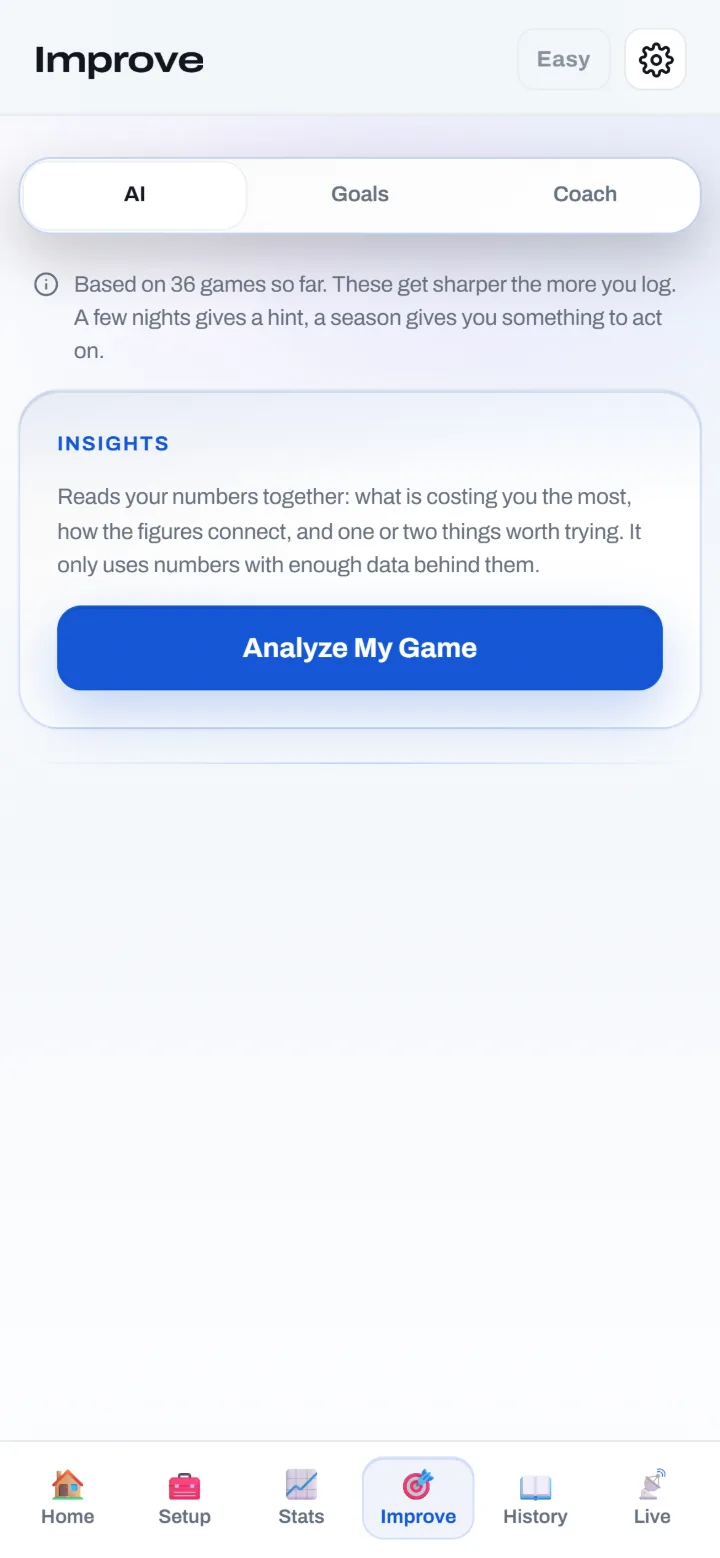
Insights reads your numbers together: what costs you the most pins a game, how the figures connect, and one or two things worth trying. It only uses numbers with enough behind them, so it says more as you log more.
Whose numbers it reads
One bowler at a time: whoever you're viewing on Stats. That's you, unless you've picked someone else on the Viewing card. See Viewing and Compare To.
Before it can run
- It needs 10 games from your league nights. Until then the card counts down, like "4 more games to go." Practice, open bowling and tournament games don't count toward the 10.
- Each number also needs enough behind it before it's used: enough first balls for your strike rate, enough spare tries for your spares, and so on. If nothing has enough yet, the card says so, "Nothing has enough behind it to analyze honestly yet. Here's what's closest.", and shows the three that are closest, each with a bar and what it still needs, like "40 more first balls".
- While you have fewer than 40 games, a line at the top says how many games it's based on. A few nights gives a hint; a season gives you something to act on.
Analyze your game
- Tap Improve, then AI.
- Tap Analyze My Game. It takes a few seconds.
- Read the cards.
Each card has a headline, how sure it is (Clear, Moderate or Tentative), the detail, and often a Try line: something to try next time out. If a card mentions something you haven't logged enough of yet, a line under it says that part is a guess.
After the cards:
- Worth Paying Attention To: questions worth keeping an eye on.
- What This Is Based On: how many games, and a chip for each number it used. If your balls don't have enough first balls each to be compared yet, each one gets a bar with how far along it is and about how many more games it needs. A ball that's nearly there gets a line like "You're close on (ball). A couple more nights and it unlocks."
- A reminder that it was written by AI from the stats you've logged. It can be wrong, and it can sound confident while being wrong. Treat it as a starting point, not an instruction. If you're working with a coach, it suggests talking it over with them before changing anything.
Tap Run Again to clear the cards. Analyze My Game is back, ready to run again, say after a few more nights.
Bowlers like you
If you have the comparison with other bowlers turned on and there's enough to compare, a Bowlers like you card sits at the top with one line: the figure where you're furthest behind bowlers who average what you do. See Bowlers like you.
New since last time
When one of your numbers gets enough behind it to be analyzed, Improve tells you once: New since last time: and the names. Tap × to close it.
When it doesn't work
- If the analysis doesn't come back, the card says so with Try Again.
- Run it a lot in one hour and it asks you to give it a little while.
- On the free plan, the AI tab shows a locked Insights card instead, with See what Pro adds. Your stats stay free.