 MY BOWLING JOURNEY
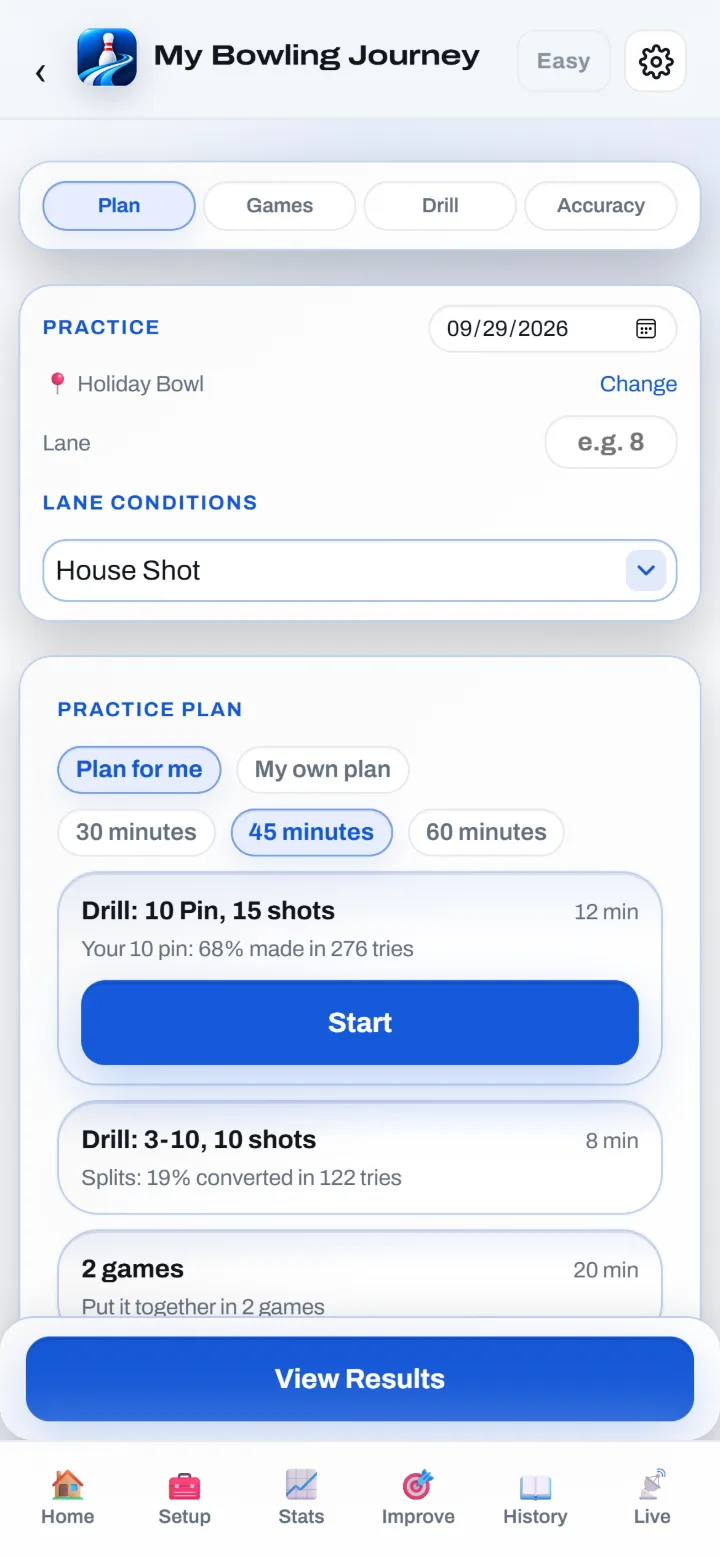
Tap Practice on Home. Practice has four tabs: Plan, Games, Drill and Accuracy. Results joins them once there's something to look back at. Practice never counts toward your league average.
Start on Plan. The Practice card under the tabs has the date, your bowling center (tap Change, or Pick a center if none is set), the lane and Lane Conditions: House Shot or Official Pattern.
The practice plan
- On Plan, tap Plan for me and pick 30 minutes, 45 minutes or 60 minutes. The app builds the plan from your own weak spots, and each block says why it's there. It gets personal after 5 logged nights.
- Or tap My own plan and add blocks in the order you want with + Drill, + Accuracy and + Games. Set each block's shots or games. Tap Save as favorite to use it again; it gets its own Favorite chip.
- Tap Start. The first block opens on its own tab, with a bar on top showing how far along you are. When a block's count is done, the next one opens. Tap Next block (Finish plan on the last block) to move on early, or Leave plan to stop.
Games, Drill and Accuracy on their own
You don't need a plan. Tap any tab and go:
- Games: pick Game Tracking for just the scores, or Frame Tracking for every ball.
- Drill: pick what you're working on from the list: a spare, Pocket or Custom. If you have balls set up, pick the ball too. Then tap ✓ Made or ✗ Missed after each shot. To work a second spare, save the first and tap + Start another drill.
- Accuracy: under Stance and targets, set Standing on board, then your Targets: a board, and where on the lane you're aiming at it, like the arrows. Tap + Add another target for more. If you have balls set up, pick the Ball. Then tap Start.
Finishing
When you're done, tap View Results, then Save and end practice.
In Easy mode, Practice is one screen of game scores: see Scoring in Easy mode.