 MY BOWLING JOURNEY
The card at the top of Mine answers two questions side by side: whose numbers are these (Viewing), and who are you holding them up against (Compare To)? Both are free.
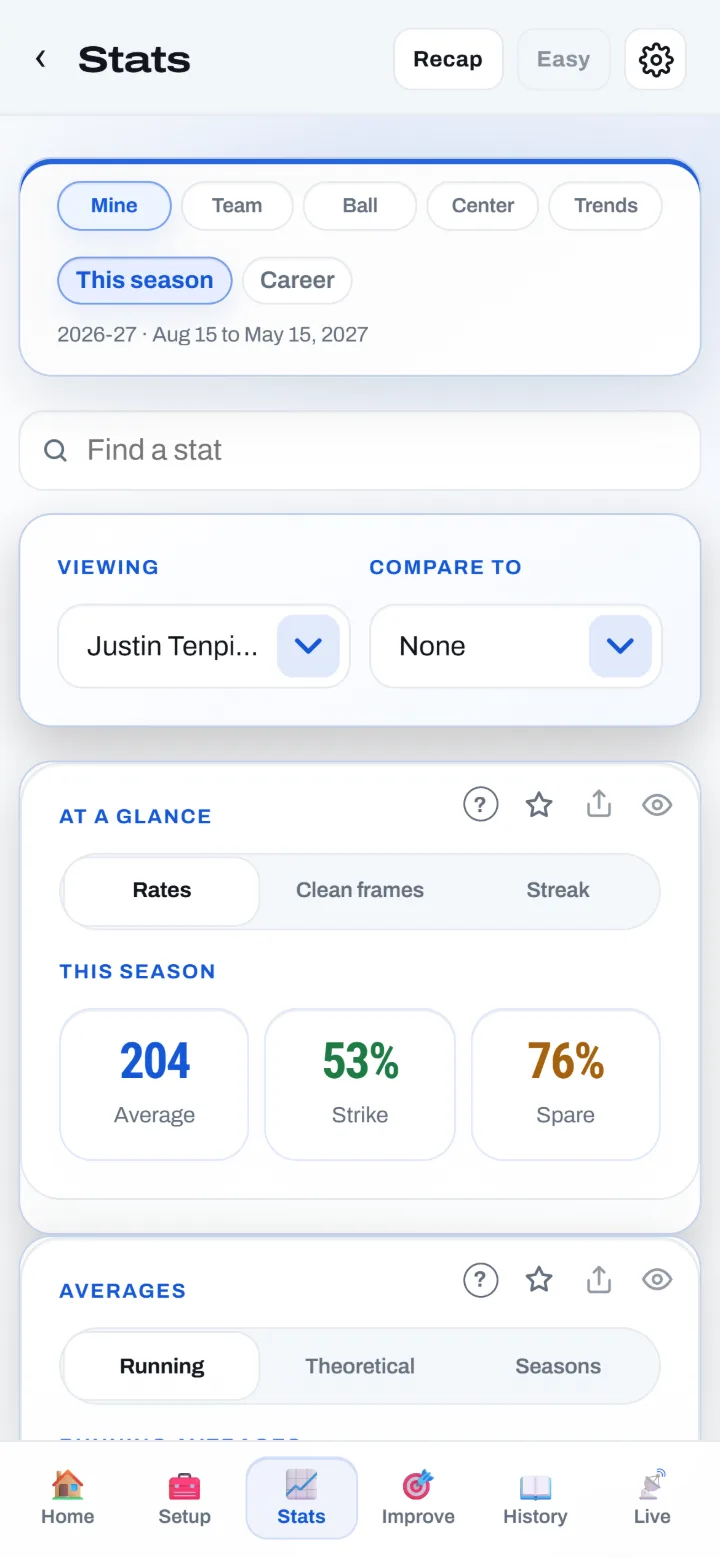
The card shows whenever there's someone to view or compare with: a friend, a teammate or a league you've bowled. Stats opens on your own numbers every time you open the app. What you pick here changes Mine only; the other tabs keep their own.
Viewing
Tap the Viewing box and pick:
- You: your name with "(you)" after it. Mine opens on this.
- Friends: a friend's numbers, as much as they share with you. See Comparing with friends and teammates.
- Teams: one of your leagues, by your team's name and the season, like "Spare Me the Details 2026-27". It puts everyone's numbers in that league together, as a team. A league where you're on no team, or on two, goes by the league's name. A league where you only sub isn't listed.
Picking someone new under Viewing sets Compare To back to None.
Compare To
Tap the Compare To box and pick:
- None: no comparison. Mine opens on this.
- Your teammates, listed under each team's name. A teammate who hasn't signed up yet shows with "(pending)" after their name.
- Friends: friends who aren't already listed under one of your teams.
- Teams: one of your teams, by its league (not the one you're viewing). Its numbers are the nights bowled for that team. A league where you're on no team counts the league's nights.
With nobody to pick yet, the card says "Nobody to compare against yet." Adding friends, or finishing your team's roster, fills the list. See Friends.
A friend's or teammate's numbers follow the same rules as yours: the same season or career, and no practice or open bowling.
Reading a comparison
Pick someone and small badges show under the numbers on many cards, like "▲ 4 vs Ally Lane":
- ▲ means your number is higher, ▼ lower.
- Green is good for you and red isn't. For the numbers where lower is better, like how often you leave a 10 pin or a split, a ▼ is green.
- "≈ Ally Lane" means you're even.
You'll find them on At a glance, Averages, Scores, Spares and the First ball card, among others. First-ball and leave averages compare to two decimals, since 0.4 of a pin there is a real difference.
For a full side-by-side with a teammate, use Head-to-Head on the Team tab (Pro).
Cards a comparison or a team takes away
Some cards are about one bowler's own delivery, so they step aside while you compare against a bowler, or while you view a team: Strike Quality, Missed strikes, Carry Meter, the Bullseye card, Delivery DNA, How Spares Are Missed, Stamina, 10 Pin Toll and By pattern. Set Compare To back to None, or Viewing back to you, and they return.
Viewing a team changes a few more things:
- My Records goes. Your team's best games are on the Team tab's Team Records.
- Frame Position, The Closer, Non-Split Leaves, Longest strike streak and Bowlers like you go too, and so does the Average Sheet button.
- The averages are the average bowler's game across the team. Running Averages names each league by your team and adds the team's total for a game, like "team 812". Game-by-Game Averages adds "Team:" with the team's total for each game.
- Score Consistency and Score Distribution read the team's game totals, not one bowler's games.
Comparing yourself against a team keeps every card, with the badges against that team.