 MY BOWLING JOURNEY
A league bowls at one center for a season, so you set its center once. That's what lets the app compare how you score house to house, keep free fall pins apart from string, and show you on Live at that center.
Find a center
The same search comes up everywhere you pick a center.
- Your home centers are chips at the top. Tap one and you're done. Somewhere else? sits under them.
- Otherwise, type three letters or more of the center's name in the search box.
- The list shows centers near you, each with how far away it is and its address. Tap yours.
- Not there? Tap Can't find it? Add by name, type the Center name and tap +.
The search uses your phone's location to look near you. Without it, it looks near a center you've picked before. With neither, it asks for location access or for the center by name.
A league's center
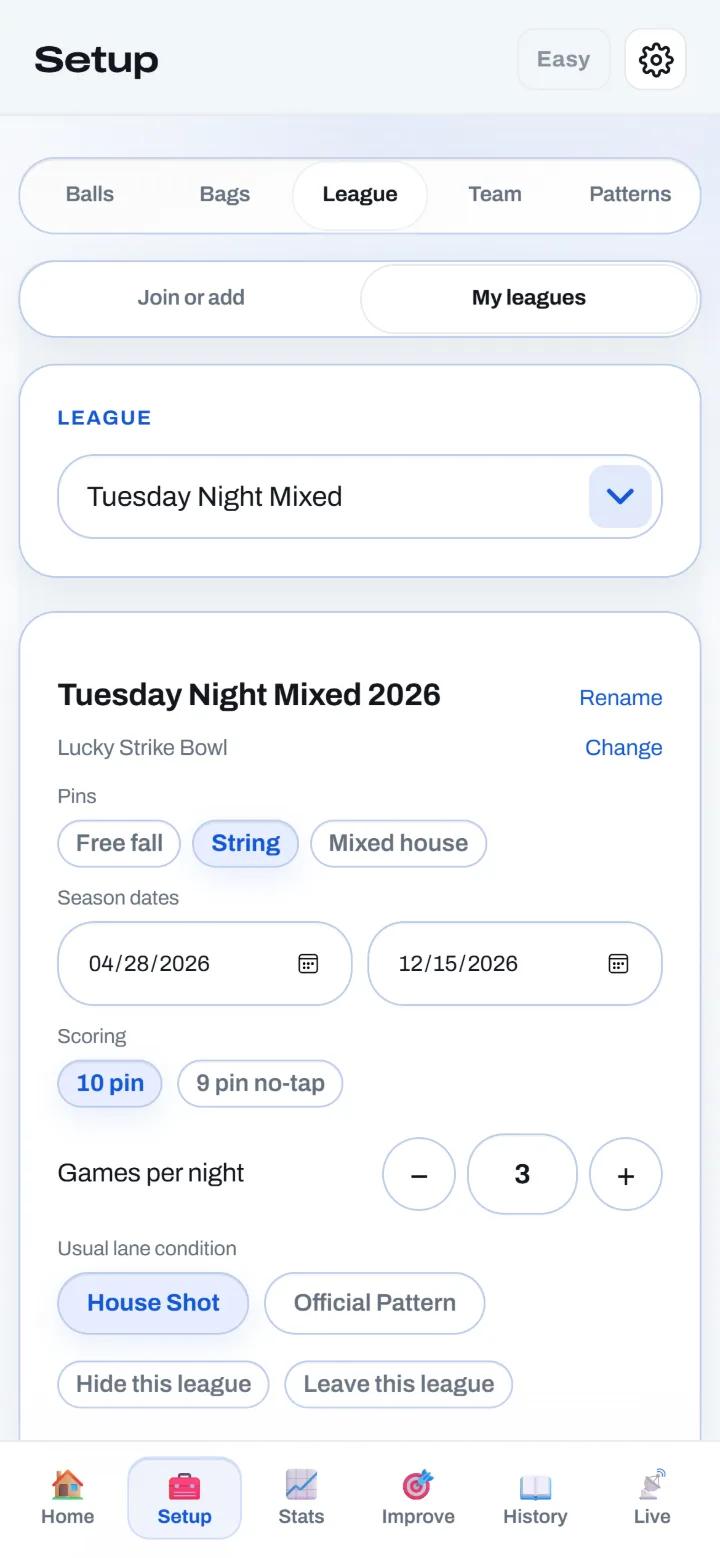
- Tap Setup, then League, then My leagues.
- In two leagues or more? Pick the league in the League box.
- With no center set, Bowling Center asks where the league bowls. Find it as above.
The center's name then sits under the league's name. Tap Change to pick another.
When you add a league, the app starts at your home center, or asks Where is the league bowled? if you have none, and lists the leagues other bowlers already added there. Skip, no center adds yours without one. See Managing your leagues.
Pins
Under the center, Pins says how the house sets them: Free fall, String or Mixed house. Tap the one picked again to clear it. String pins carry differently, so the app keeps the two apart. See Rack Report.
For a Mixed house, type which lanes are free fall, like 1-8, 15, 16. Every other lane counts as string. Until you do, that house stays out of the free fall and string comparison.
Pins are a fact about the building, so what you set is what every bowler at that center sees.
A center's house pattern
A center can have its own house pattern. A league night there with no pattern of its own, in a league with no usual pattern, is drawn with the center's house pattern instead of the app's stand-in, Kegel's Main Street. The note under a lane drawing names it with its numbers, like "House condition: Holiday Bowl Huntingdon House Pattern. 41 ft, 12.50:1, 23.445 mL."
What a night is drawn with, first to last:
- The pattern set for that night on its Set up.
- The league's usual pattern. See A league's oil pattern.
- The center's house pattern.
- Kegel's Main Street, with "Your center's may differ."
Some centers have their house pattern in the app already. The rest use Kegel's Main Street. There's nothing to set.
A house pattern read from the center's own lane machine report is drawn from that report's load table, board by board, the way every published pattern is drawn from its sheet: heaviest where the machine lays the most oil, thinning toward the pattern's length.
Nights stay house-shot nights for your stats either way: only the drawing and its numbers change.
Your home centers
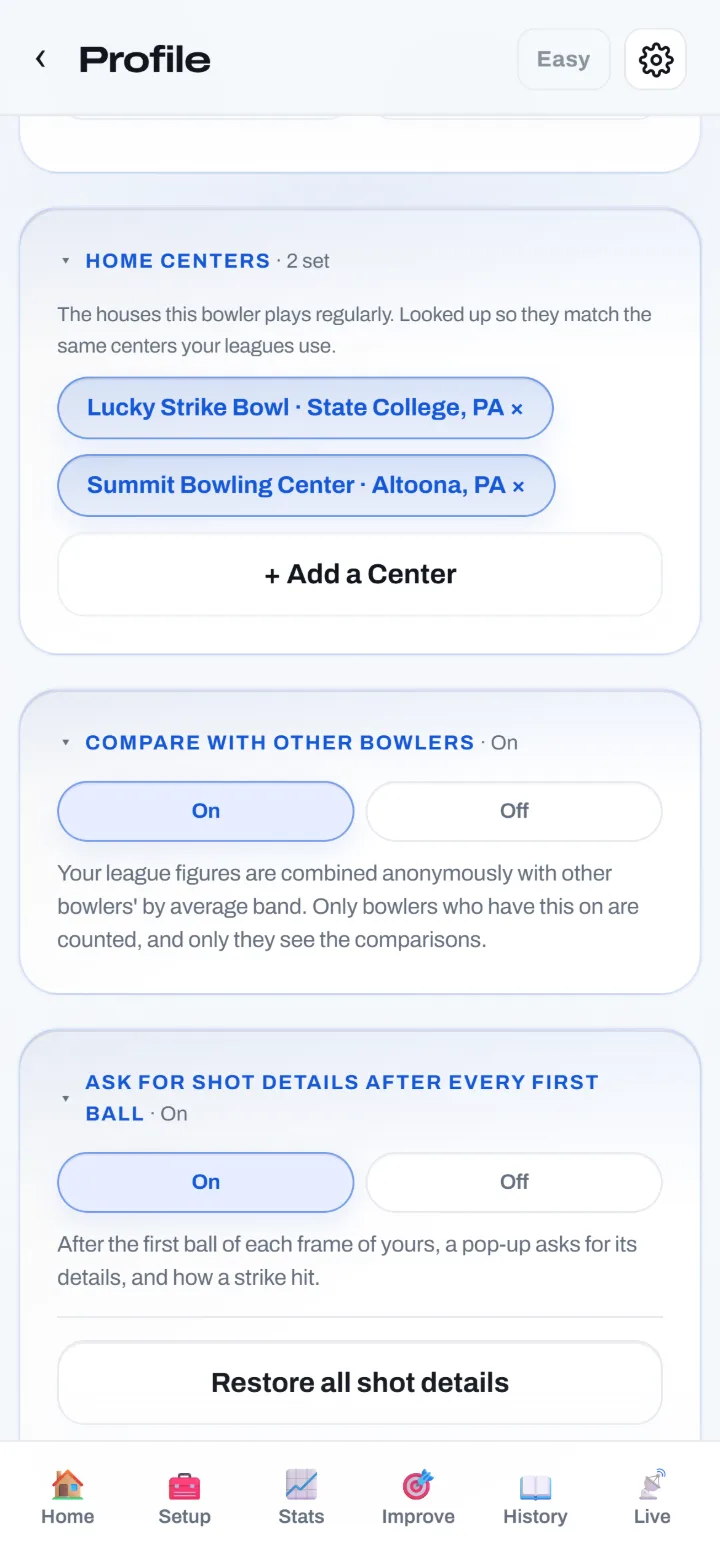
The houses you bowl at most. They're offered first whenever you pick a center, and practice and open bowling start at the first one.
- Tap the gear at the top right, then Profile.
- Under Home Centers, tap + Add a Center and find the center.
- To take one off, tap its chip, the one with the ×.
Practice, open bowling and tournaments
- Practice and open bowling: the center shows on the card with the date at the top, with Change. With none, tap Pick a center so you show up on Live there. See Setting up a practice and Open bowling.
- A tournament: its first card has Center, with your home centers as chips. See Setting up a tournament.
Where centers show up
- In Stats, the Center chip has your numbers house by house, with Home and Away and Shoes by Center.
- On Live, bowlers are listed by center. See Scores at a bowling center.