 MY BOWLING JOURNEY
Tap Tournament on Home. Set up is a few short questions, one card each. Your answers decide which stages the event has, so when you score it you only see the ones it really has. Scoring the games works the way it does on a league night: see Frame or game tracking.
Answer the questions
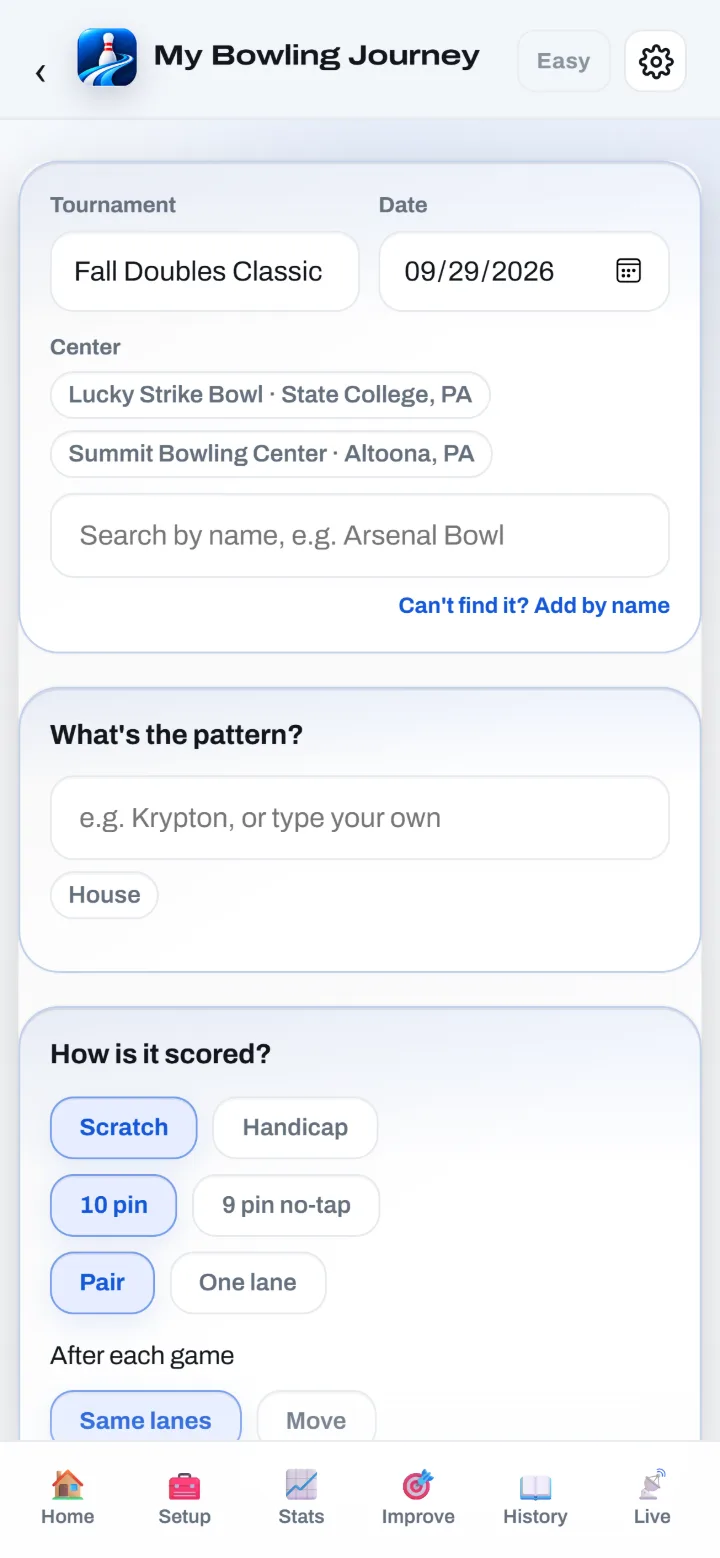
- Type the event's name under Tournament, pick the Date and the Center. The name is the one thing you have to fill in before you can start.
- What's the pattern? Type the oil pattern's name, or tap House for a house shot. Leave it empty if you don't know it yet.
- How is it scored? Pick Scratch or Handicap, 10 pin or 9 pin no-tap, and Pair or One lane. Under After each game, pick Same lanes, or Move with which way and how far. For Handicap, set your handicap per game at the bottom of the card. In Baker it's the pair's, "Team handicap per game".
- Who bowls? Pick Just me, Doubles (with your partner's name), Team (the team's name and up to 8 teammates), Baker (your partner, and who starts game 1), or Separate events when team, doubles and singles are each their own session.
- How is it run? Pick One squad, Several squads (and which squad is yours) or Blocks over days. For one squad or several, set the start time and the number of games. For blocks over days, set each block's date, time and games, and add a block for each day. Separate events has a row for each event instead. Then say what comes after: Total pins decides, or A cut, then more with how many make the cut and what follows: Match play, Stepladder, Finals bracket or Another block.
- Do all games count? Pick Yes, or the best of them (Best 2 of 3, for example) and set Games that count. In doubles and team events, say what's dropped. This card only shows when there's more than one game, and not for Separate events, where each event's row asks.
- Side action? Pick Brackets, Side pots or None.
- How will you score it? Pick Frame by frame or Game totals. It's just for this tournament: your league nights keep their own setting, and you can switch for any game.
- If you have a tournament bag, Using one of your tournament bags? picks which bag's balls the Ball card offers while you score.
- Read the sentence under Your tournament to check it, then tap Start tournament.
Brackets and side pots
Working out brackets and side pots as you go is part of Pro. On the free plan, Side action? says "Tracking brackets and side pots at a tournament is part of Pro." in place of the choices, with See what Pro adds.
Changing your answers
Once it's started, Set up shows each answer with Change beside it. If a change would take away a stage that already has games in it, the app asks before it removes anything.
There's more on stages, side pots and the Cash Book in the Tournaments section.