 MY BOWLING JOURNEY
In Easy mode a night is just your game scores: no pins, no frames. League and Practice on Home each open one screen. Fill it in, save it, and you're back on Home.
Easy mode is on while the Easy switch at the top is colored. To turn it on or off, see Easy mode and the full app.
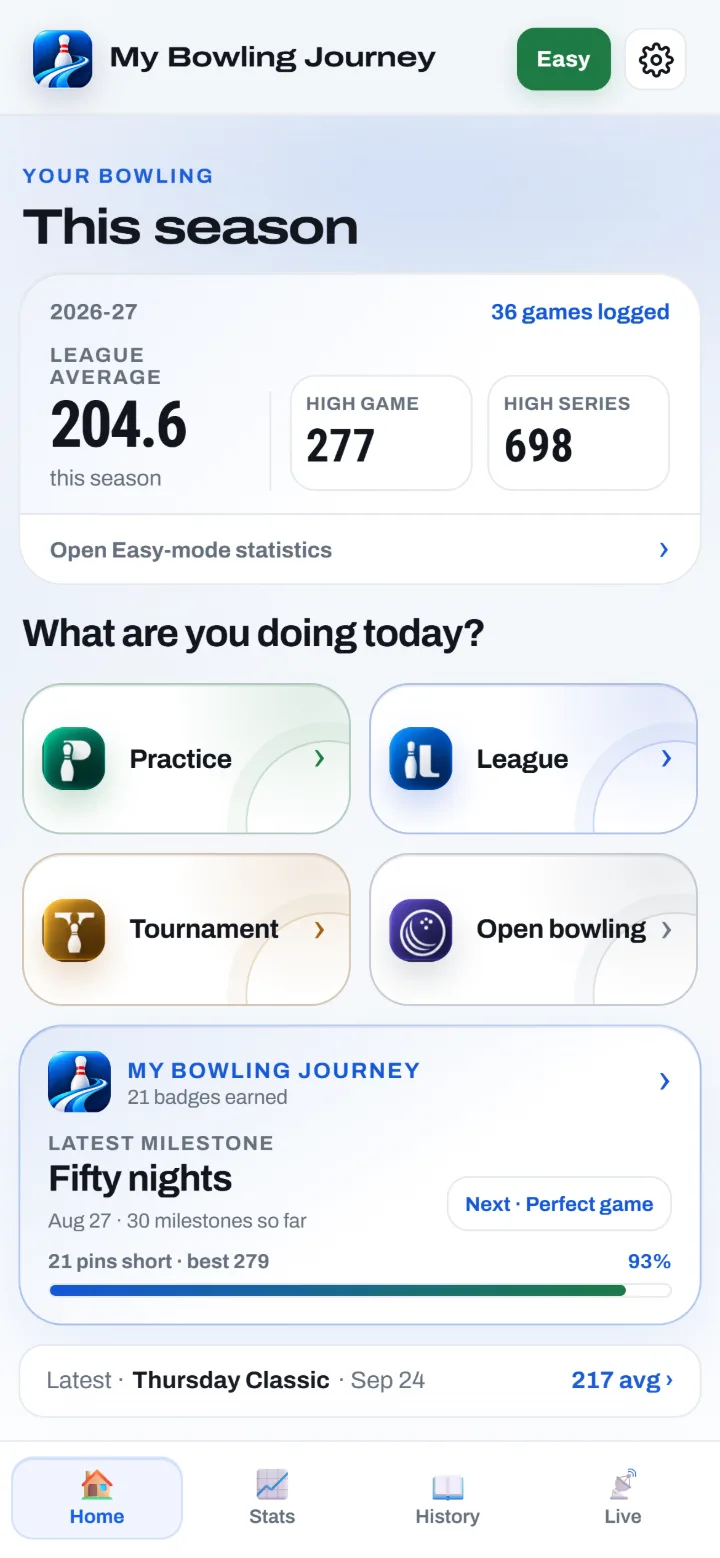
Score a league night
- On Home, tap League. The League night screen opens.
- Check the league. The app picks tonight's for you; tap the list to change it.
- Check the Bowling Center and type your Starting Lane. Both are optional.
- Check the Date. It's today unless you change it.
- Type each game's score as you finish it. The Series adds them up.
- Tap Save League.
✓ League saved shows your games added up, like "190 + 210 + 201 = 601". A few seconds later you're back on Home.
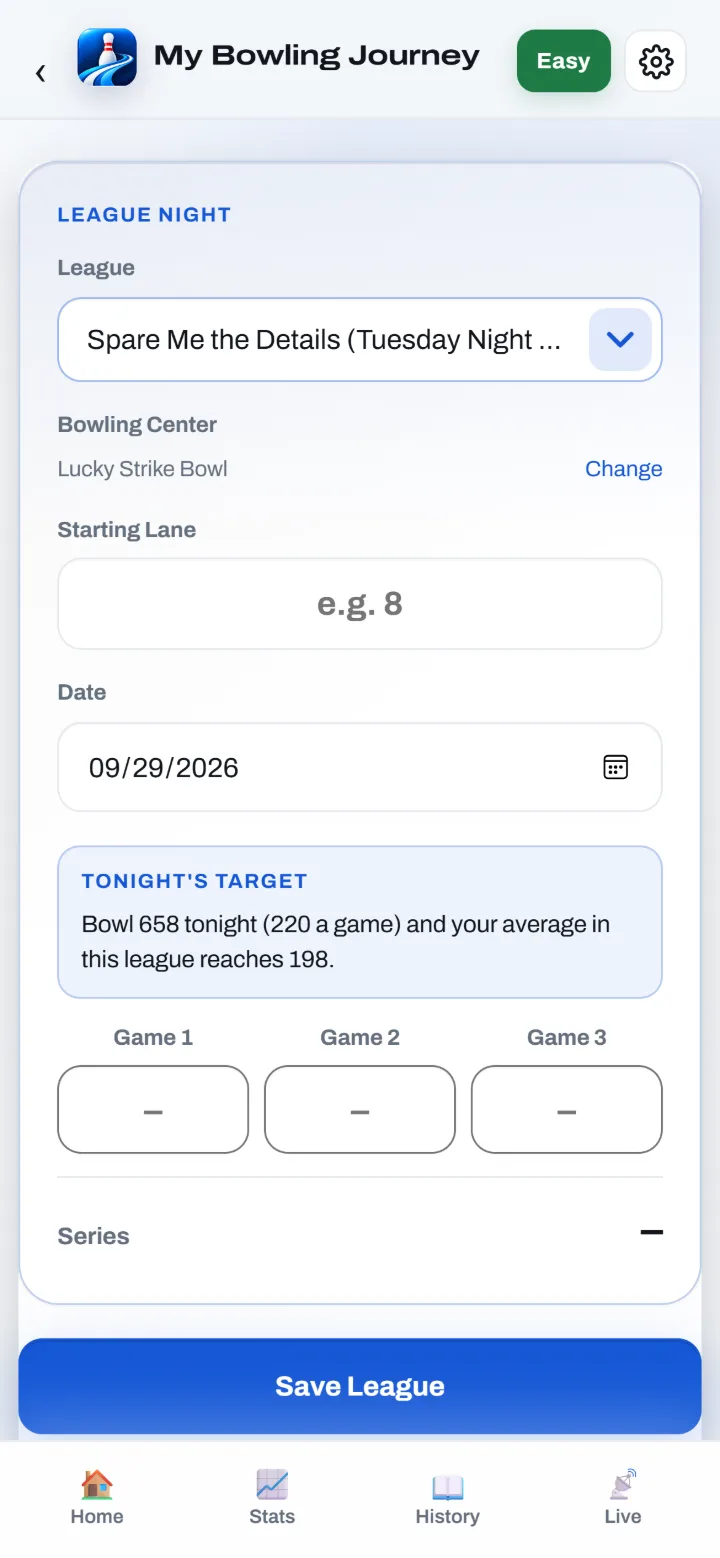
Picking the league
The app picks tonight's league for you: a league you already have scores in on this date, or else the one you usually bowl on this day of the week, or else the last one you bowled.
- Where you're on a team, the list shows the team's name with the league after it.
- On two teams in one league? Each team has its own line. Pick the one you're bowling for tonight.
- Only this season's leagues show at first. Show all leagues, at the bottom of the list, brings in the rest.
- If two of your leagues bowl on this day of the week, the app doesn't guess. The box asks Which league are you bowling tonight? and Save League waits until you pick.
- Change the date and the pick follows it, until you choose a league yourself.
- + New league, at the bottom of the list, adds a league right here. With no league yet, the screen starts there. Right after you add one, Now your team may ask about your team. Join or create one, or tap Not now, and the night is there.
Center and lane
- The center belongs to the league, so it carries to every night of it. Tap Change to pick another.
- No center yet? Tap one of Your home centers, search by name, or tap Can't find it? Add by name.
- Starting Lane is the lane you start on.
- Type a starting lane you've bowled at this center before, and Lane Recall (Pro) shows when and how you did. On the free plan it says you've bowled there before and offers See what Pro adds.
Tonight's Goal (Pro)
For tonight or a later date, Tonight's Goal shows the series that lifts your average in this league: "Bowl 658 tonight (220 a game) and your average in this league reaches 198."
- It needs three of your nights in this league this season. When there's nothing within reach, there's no card.
- It never shows for a past date.
- On the free plan the card offers See what Pro adds.
Typing the scores
- Each box takes a whole number from 0 to 300. Anything else turns the box red, and saving says "A score is a whole number from 0 to 300."
- Bowled fewer than three games? Leave the other boxes empty. A night needs at least one game.
- Closed the app before saving? The games you typed are still there when you open League again on this phone. They aren't kept for long, so save the night before you leave the center.
Fixing a night you saved
Pick the same league and date and the boxes fill in with that night's scores. A line says "This night is already saved. Saving again replaces its scores."
- Change the score that's wrong. Empty a box to take that game off.
- Tap Save League.
Games after the third (bowled in the full app) stay as they are, and so do the night's side games and notes.
The Live question
If the league's bowling center is set and you aren't sharing your scores on Live, a card at the top may ask "Share your scores live at Lucky Strike Bowl?"
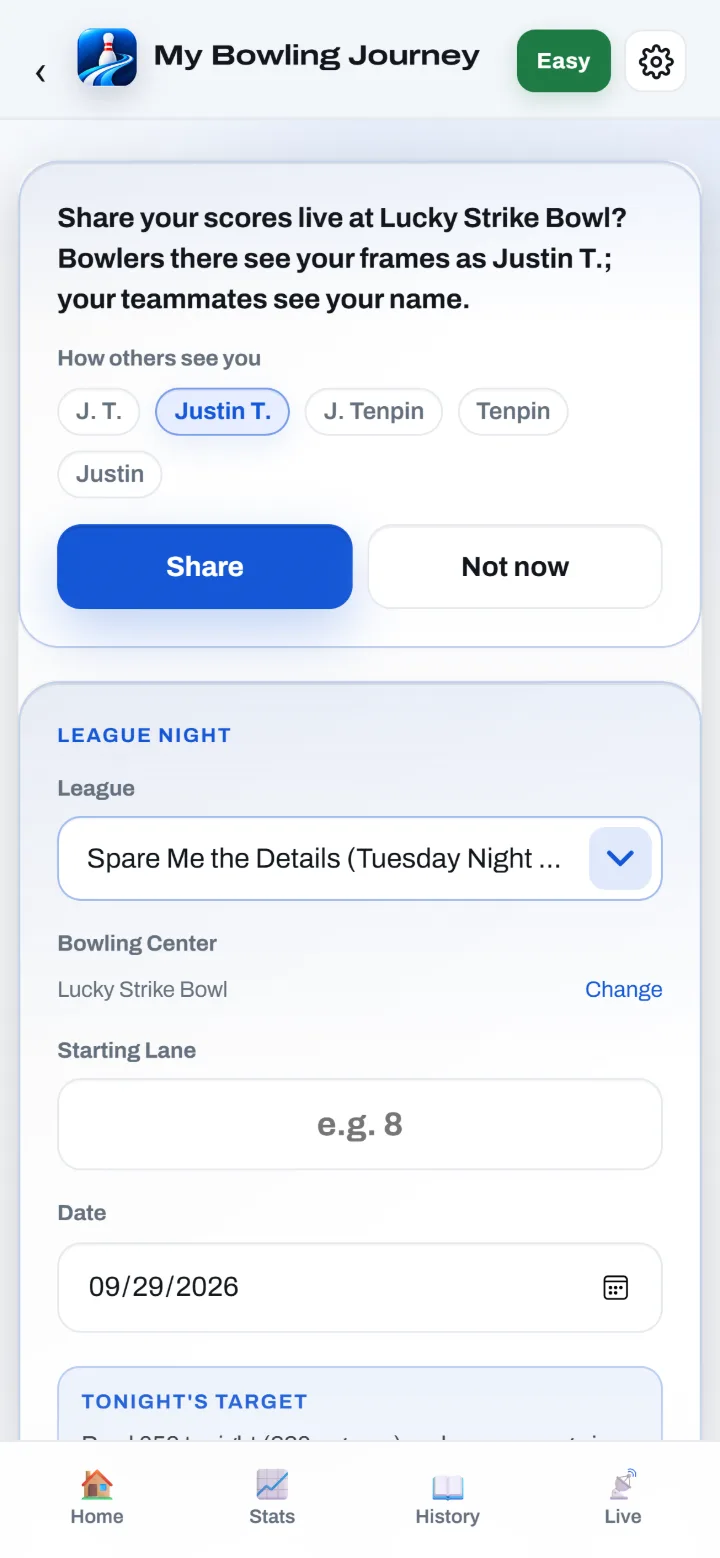
- Under How others see you, tap the name bowlers at the center should see.
- Tap Share, or Not now.
It asks once. More on it: Starting a session.
After Save League
The first time, the phone app may ask "Want a reminder on league night? We'll remind you an hour before." Tap Yes or Not now, and you're back on Home. More on reminders: Turning on reminders.
The night is saved where the full app keeps it. Turn Easy mode off and it's there, as if you'd scored it the long way.
Score a practice
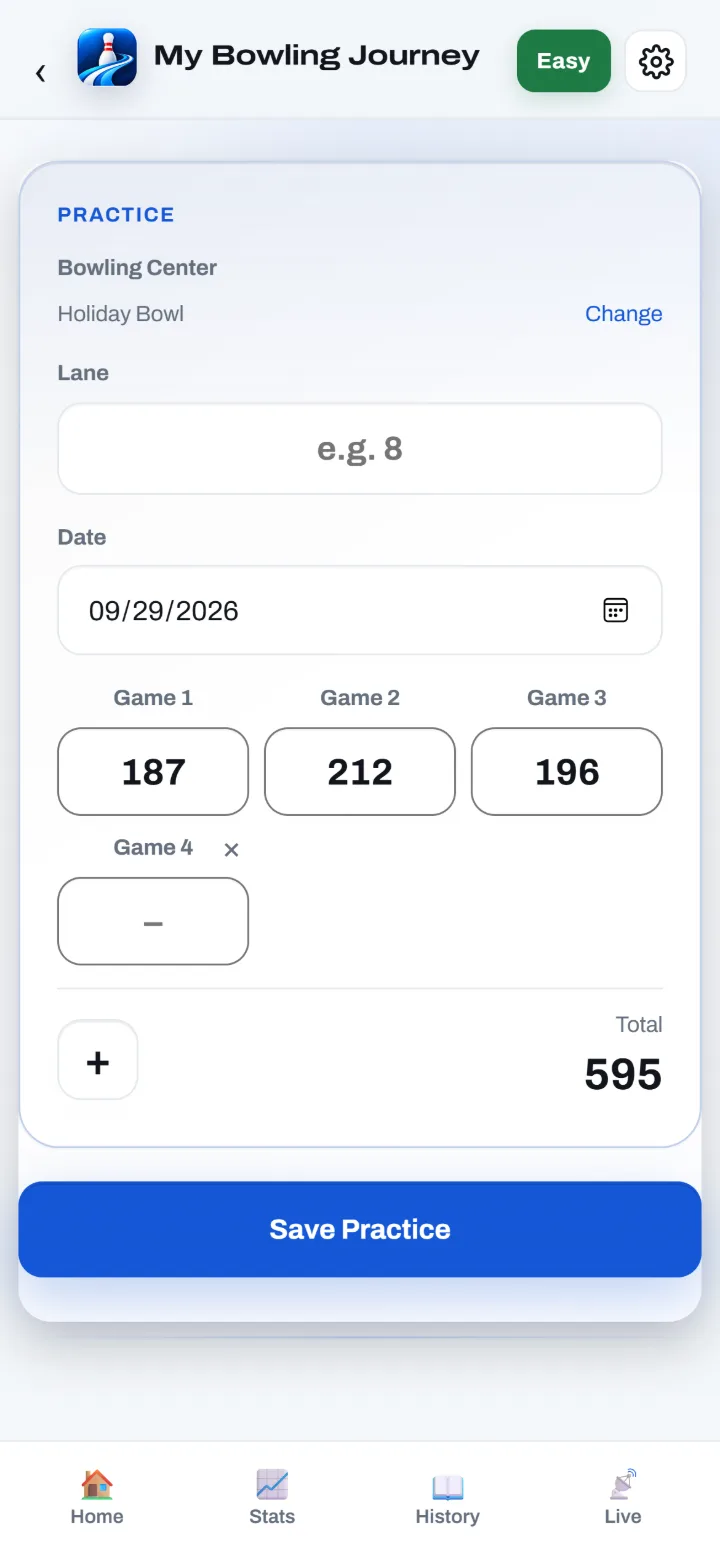
- On Home, tap Practice.
- Check the Bowling Center. The app keeps it for your next practice.
- Type your Lane if you like, and check the Date.
- Type each game's score. There are three boxes to start. Tap the + at the bottom for another game, and the × on an added game to take it off.
- The Total adds them up.
- Tap Save Practice.
✓ Practice saved shows your games added up. A few seconds later you're back on Home.
- Each save is a new practice. Two practices on one day stay two.
- Empty boxes are left out. A practice needs at least one game.
- Practice scores stay out of your league averages.
- Games you typed come back after the app closes, the same as on a league night.
On the free plan
- The free plan covers one league. Picking + New league for a second shows More leagues: "The free plan covers one league. Bowling a second one is part of the paid plan. Nothing you have already logged goes anywhere." Tap Back.
- More than one league and none chosen yet? League asks you to Choose your active league first.
- If a league the free plan has paused bowls tonight, a line says so, like "Tuesday Night Mixed is paused on the Free plan", with Get Pro, and Make it my league while you can still change your league.
- Lane Recall and Tonight's Goal are Pro.