 MY BOWLING JOURNEY
Easy mode is for bowlers who just want their scores. A league night is three game scores: no pins, no frames, no extra screens. Turn it off any time and the full app is back, with everything you saved in it.
Turning it on and off
The Easy switch sits at the top of the screen, next to the gear.
- Tap Easy. It fills in with color while Easy mode is on.
- Tap it again to go back to the full app. It turns gray.
- The first time you turn it on, a short walkthrough shows what changes. Watch it again any time in Settings > Help and About > Walkthroughs.
- If you're on a screen Easy mode doesn't have, or on the scoring screen, turning it on takes you to Home.
- It's saved with your account, so it stays on until you turn it off, on any phone you sign in on.
What Easy mode shows
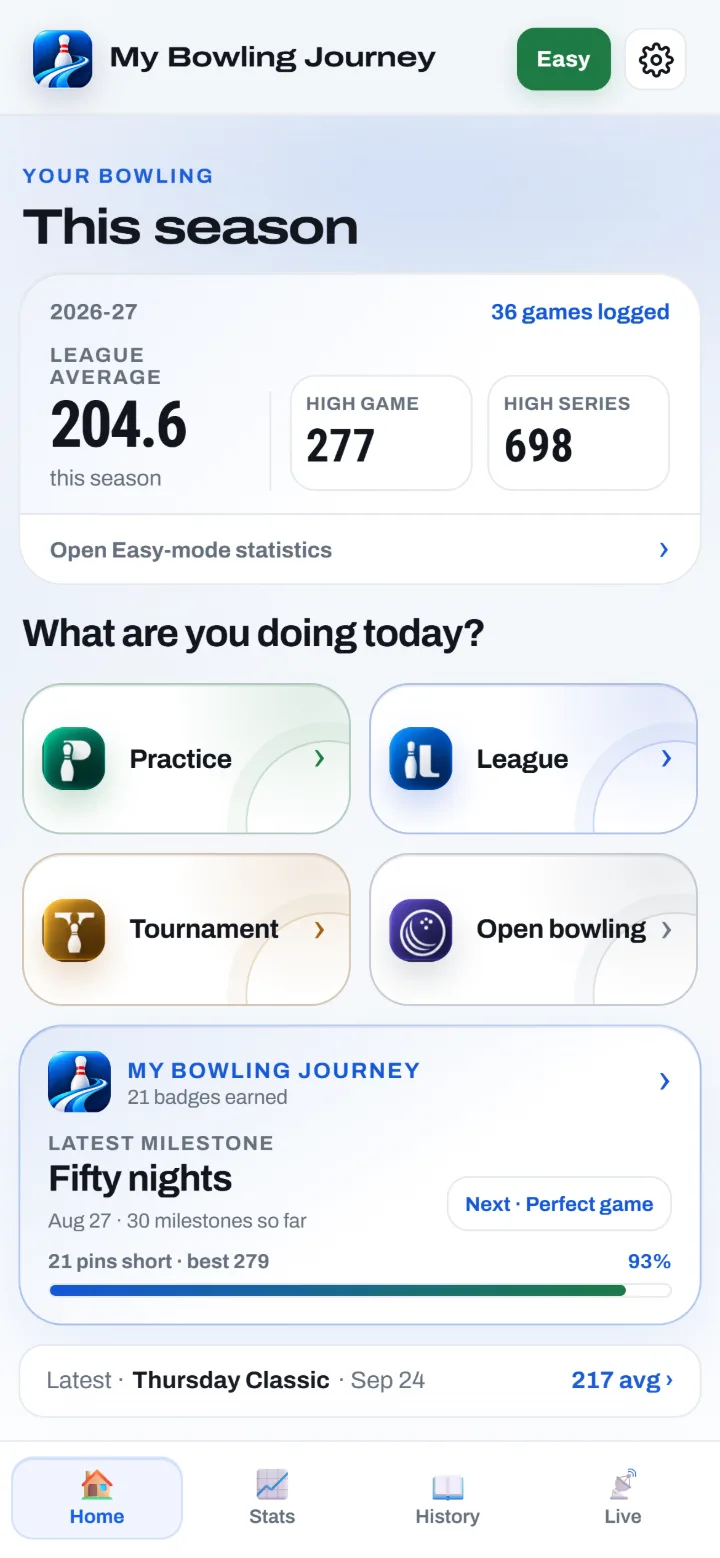
- The bottom bar: Home, Stats, History and Live.
- Home: the same four mode cards, and it stays Home even while a night is under way. The season card opens Open Easy-mode statistics.
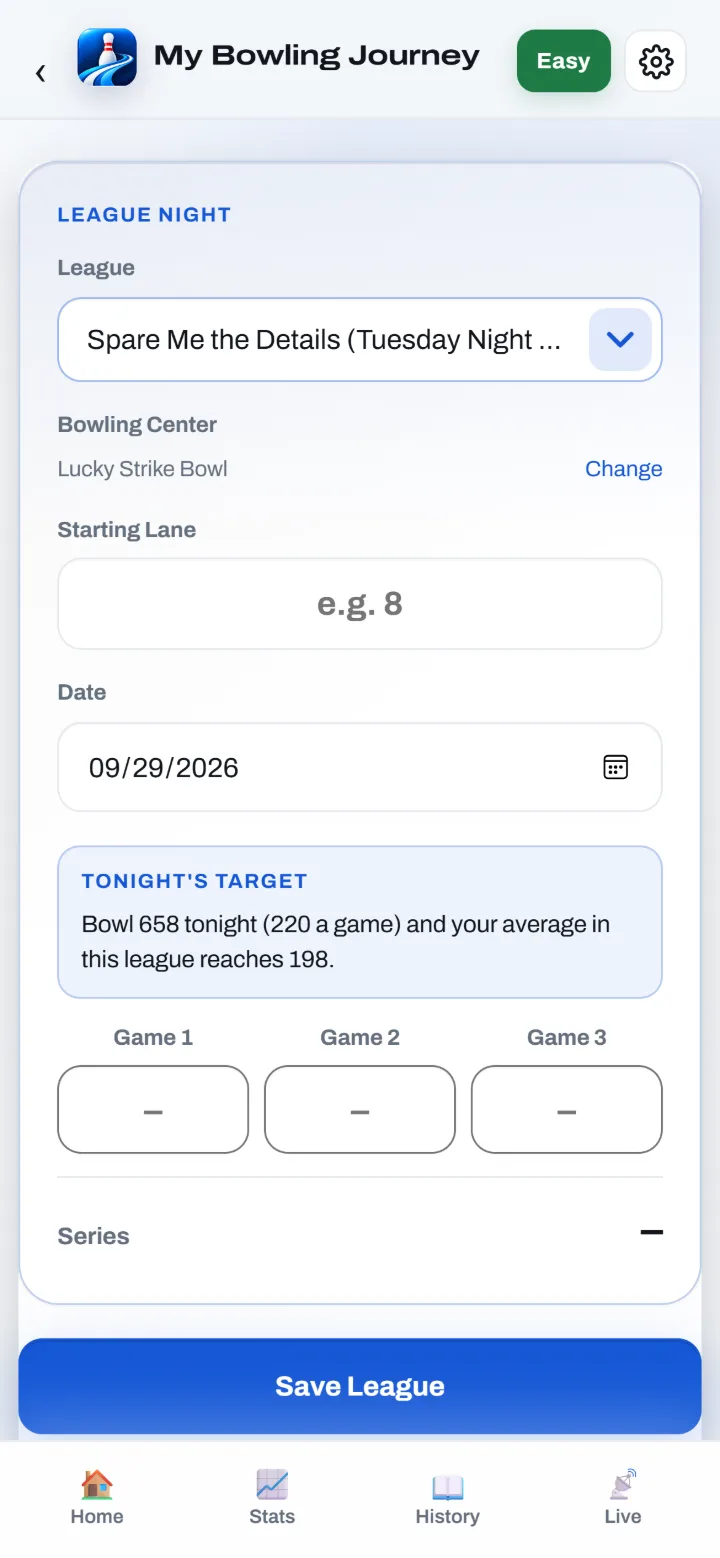
- A league night: your league, its bowling center, your starting lane, the date and three games. The series adds up as you type. Tap Save League and you're back on Home a few seconds later. If the app asks about a reminder, answer it first.
- Practice: the bowling center, your lane, the date and your games. It starts with three; tap + for more. Tap Save Practice.
- A tournament: its name, center, lane and date, Scratch or Handicap, 10 pin or 9 pin no-tap, then a table of games. Mark each game Q for qualifying, M for match play or S for stepladder, pick how it finished, and tap Save Tournament. Its results show until you tap Done.
- Open bowling: the same screen as the full app.
- Stats: one page with your average, your average by league, and by center once you've bowled at more than one, games 1, 2 and 3, your next milestone, how steady your scores are, and your tournaments. Switch between This season and Career at the top.
For tonight or a later date, the league night also has Tonight's Goal: the series that lifts your league average. It's part of Pro. On the free plan the card shows See what Pro adds instead.
Need a league you haven't added yet? Pick + New league at the bottom of the league list.
A league night and a practice, step by step: Scoring in Easy mode.
What it hides
Setup, Improve, scorecard import and side games step out of the way. So do the Coach screen and your arsenal. Anything that would open one of them takes you to Home instead.
Nothing is gone. Turn Easy mode off and they're all back.
What happens to your scores
Nothing is lost either way.
- What you save in Easy mode goes where the full app keeps it. Turn Easy mode off and every night is there, as if you'd logged it the long way.
- Frames and details you logged in the full app stay where they are. Switching to Easy mode doesn't touch them.
- Saving the same league and date again replaces that night's scores. Games after the third stay as they are, and so do the night's side games and notes.
- The free plan covers one league in Easy mode too.