 MY BOWLING JOURNEY
Results is the last tab of a league night: the whole night added up. It opens by itself once everyone you're scoring has finished the league's last game. You can also tap it any time before that. Looking at it doesn't end the night.
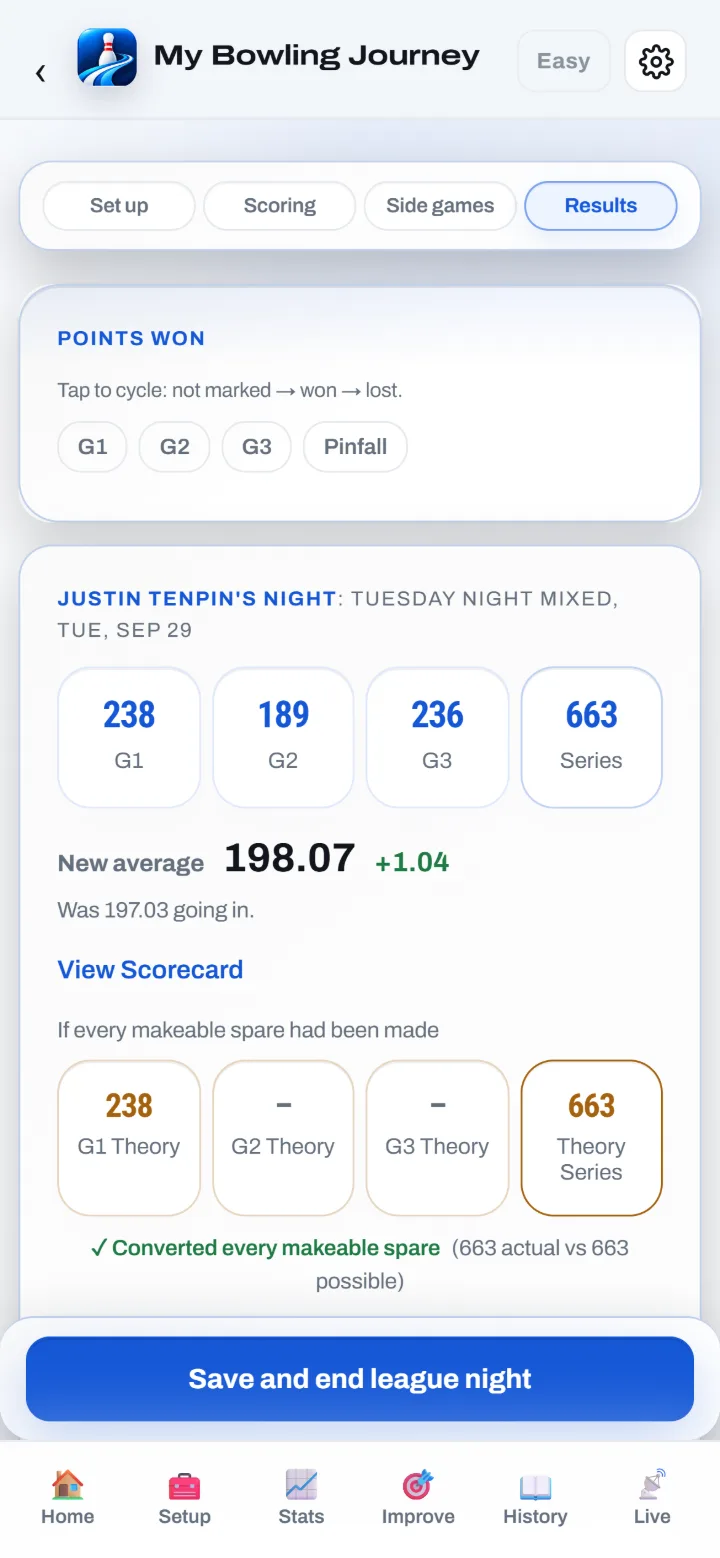
From the top down
Each card shows only when it has something to say:
- A personal best or an honor score, when you bowled one.
- The Nightcap, a short read-back of your night (Pro).
- Points Won, with a Side Games box beside it when you played any.
- Your night: your games, Series, New average, View Scorecard, Lines tonight and what you left on the lane. A prebowl says the day you bowled it under its heading, like "Prebowled Tue, Nov 17".
- Your strikes, spares, 10 pins, splits, the balls you threw and your misses.
- Running Averages and Share tonight.
- Session Notes.
- Save and end league night, on the bar at the bottom.
Personal bests and honor scores
A card at the very top says so when tonight was one of these:
- Perfect game: a 300.
- Honor series: 800 or more over all of your league's games tonight, three in a 3-game league, four in a 4-game league.
- New personal best game or New personal best series, like "245, beating your 238 by 7." These beat your best before tonight: your league and tournament games in the app, or what you typed under Your best ever in Settings > Profile > Book Average if that's higher. A series is measured against nights with the same number of games. The app's own bests count once you have 10 games in it. See Celebrations and personal bests.
A 9-pin no-tap night gets none of these.
Points Won and Side Games
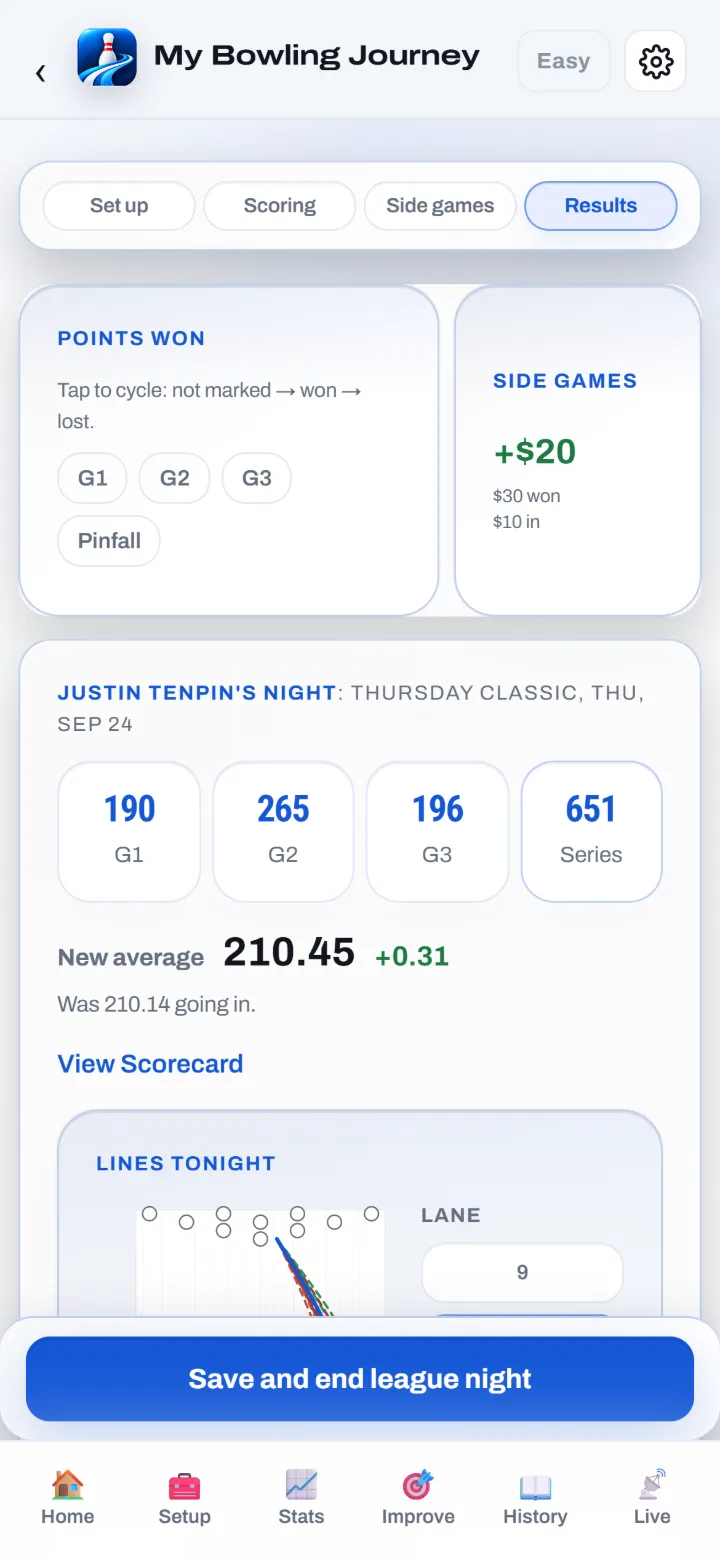
- Under Points Won, there's a chip for each game your league bowls a night (G1, G2 and so on), then Pinfall.
- Tap a chip to mark it. Each tap moves it along: not marked, then won (✓), then lost (✗), then back to not marked.
- Once you mark one, the card counts them up, like "2 of 4 points" in a 3-game league.
If you were in any side game tonight, the Side Games box shows the night's money: up or down in big numbers, then what you won and what you put in. You mark the pots and enter what you won on the Side games tab. See Side games during a night.
Your games and your new average
- The heading names whose night it is, the league and the date, like "Justin Tenpin's night".
- G1, G2 and the rest are your finished games, then Series. A game you typed a score for shows the typed score, even if it has frames too.
- New average is your average in this league this season once tonight is in, to two decimals, with how far tonight moved it: green when it went up, red when it went down. Under it, "Was 197.03 going in." It counts this season's games in this league, before tonight and tonight, the same season as This season on Stats: the league's Season dates when they're set. On your first night of the season it says "Your first night this season."
View Scorecard and Lines tonight
- View Scorecard opens your games frame by frame, ten frames to a row. See Viewing the scorecard.
- Lines tonight draws your first balls on the lane, when you gave them a line. See Lines tonight.
If every makeable spare had been made
This row shows what each game would have been if you'd made every spare you missed, leaving out splits and washouts. In the 10th frame, the extra ball you'd have earned counts as your usual first ball.
- "G1 Theory", "G2 Theory" and so on: each game's theory score. A game you typed with no frames shows a dash.
- Theory Series: the whole night that way. A game with no theory counts as you bowled it.
- Under the row, either "▼ 12 pins left on the lane" or ✓ Converted every makeable spare, with your real series beside the possible one, like "(651 actual vs 663 possible)".
On a 9-pin no-tap night
A no-tap night also gets As standard ten-pin: each game with every no-tap strike scored as the single pin it left, made at your own single-pin spare rate, then the 10-pin series. A line under it says how many no-tap strikes it changed, and the 10th frame stays as you bowled it. It shows once you have single-pin spares on record.
Strikes, spares and 10 pins
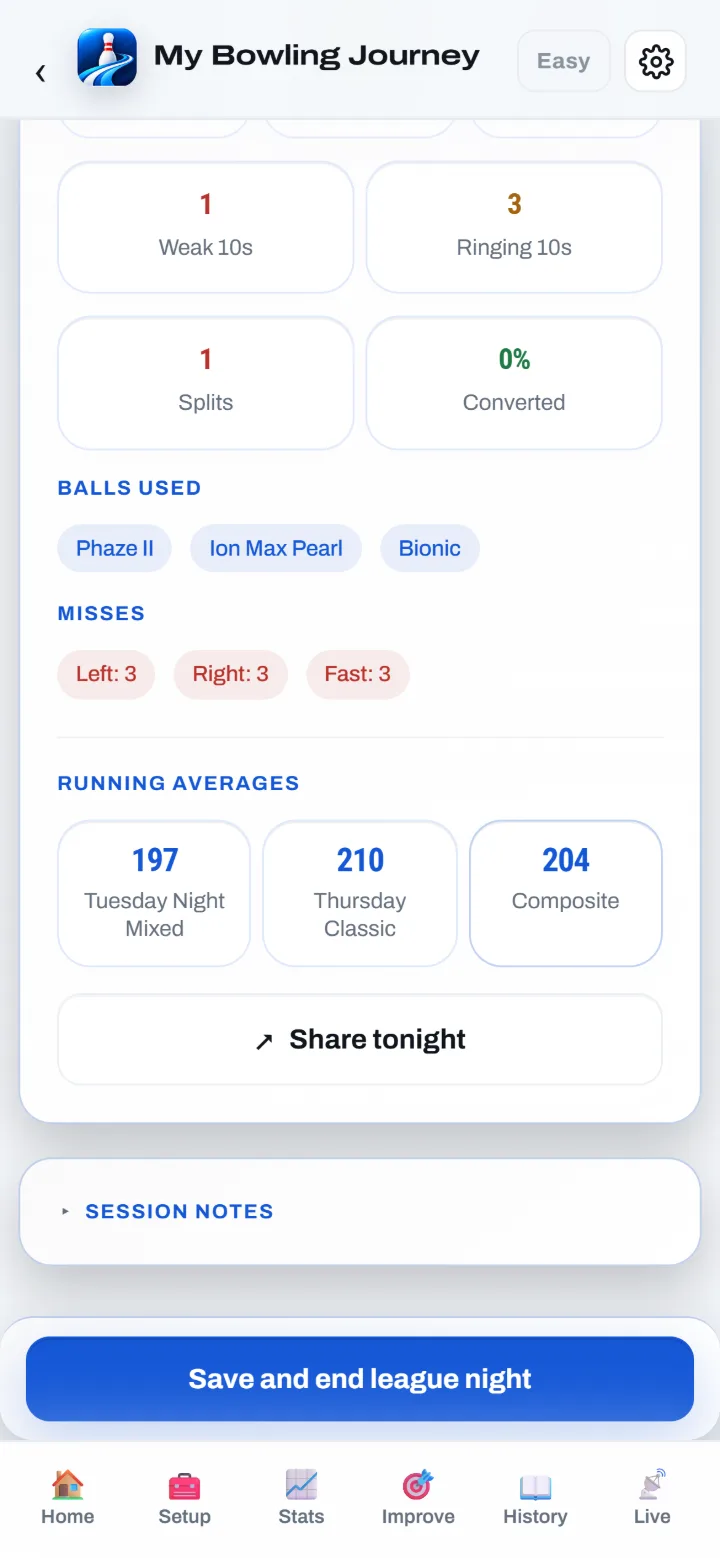
These come from your frames, so a night of typed scores only shows zeros here.
- Strike %: strikes out of every frame you bowled, the 10th frame's extra balls too.
- Spare %: spares made out of spares you had a shot at. Splits aren't in it.
- 10 Pins: how many times your first ball left the 10 pin standing alone. Under it, Weak 10s, Ringing 10s and Other 10s split them up. Left-handers see 7 Pins, Weak 7s and Ringing 7s.
- Splits and Converted: how many splits you left, and the percent of them you made. They show only on a night you left one.
- Balls used: each of your bowling balls you threw tonight, by name.
- Misses: the misses you marked in the details sheet, like "Left: 3".
Running Averages
One box for each of your leagues, with your average this season in it in whole pins, and Composite, your average across your leagues this season. They're the This season figures on Stats. Practice, open bowling and tournaments aren't in any of them. A 9-pin no-tap league's box says so, and its games stay out of Composite, as a league you sub in does.
Share, notes and saving
- Share tonight sends a picture of your night. See Sharing a night, a card or a badge.
- Session Notes is a box for how the night went. See Notes on a night.
- Save and end league night saves your night, and a night for each teammate you scored on this phone, and takes you Home. The first time, a card may ask "Want a reminder on league night? We'll remind you an hour before." Either answer finishes saving. More on Saving, finishing, and closing the app mid-night.