 MY BOWLING JOURNEY
Every night you save can be opened again, to look back at it, share it or fix a score.
Three ways in
- History > Sessions: tap the night's row. See History: Sessions.
- History > Calendar: tap the day, then tap the night under the month. See History: Calendar.
- Home: the Latest · row opens your most recent league night, practice or tournament, and the Upcoming · row a league night you've already prebowled.
What opens
- A league night opens on its Results tab, with Set up, Scoring and Side games beside it, all on that night's date.
- A practice opens on its Results. See Practice Recap and Drill Recap.
- A tournament day opens that tournament on its Results.
- An open bowling night opens a Results screen of its own, with the group's games. It's for looking only. ‹ Back to History at the top takes you back. If no game scores were saved that night, it says so.
The ‹ arrow at the top left takes you back to History. From the Calendar, you land on the same month.
Bowling tonight? Your night waits while you look. Leave the old night with ‹, Home or any tab and you're back on tonight's league, team, game and frame. Picking today's date on its Set up does the same.
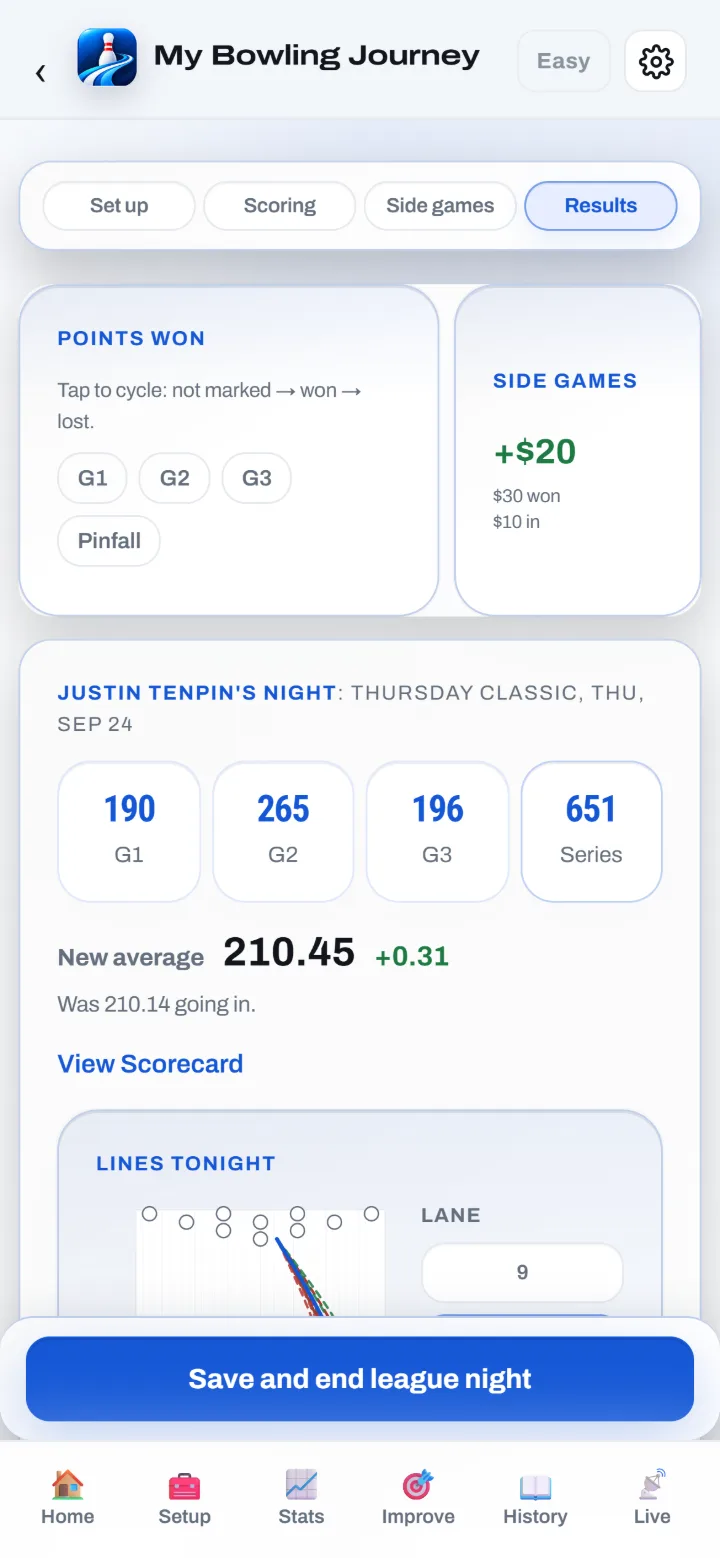
What Results shows for an old night
Everything on it is that night's: the games and series, Points Won, Side Games, splits, balls used and misses. Two numbers to know:
- New average is your average for that night's season as the night left it, with what it was going in. Nights bowled after it don't change it, and nor do earlier seasons.
- Running Averages, near the bottom, are your averages for that night's season, with every night of it since.
- A personal best on it is measured against your bests before that night.
View Scorecard shows the night's games frame by frame, and Share tonight shares that night's picture, whatever its date. See Viewing the scorecard and Sharing a night, a card or a badge. The rest of the tab is on The Results tab.
Change something
What you change on an old league night goes into the saved night.
- Open the night.
- To fix a frame or a typed score, tap Scoring and change it the way you would on the night. See Fixing or deleting a frame or a game.
- Side game money goes on Side games, and points under Points Won on Results. Both are kept as you change them.
- Changed or emptied the Session Notes? Tap Save and end league night to keep the change.
An open bowling night can't be changed from History.