 MY BOWLING JOURNEY
Bowled a night under the wrong league, or saved one by mistake? Delete it from the Calendar. It can't be undone, so the app asks first.
Delete a night
- Go to History > Calendar.
- Find the month with ‹ and ›, then tap the day.
- Under the night, tap Delete this night.
- Read what goes, like "Delete this night? 3 games and every frame logged with them. This cannot be undone."
- Tap Yes, delete it, or Keep it to back out.
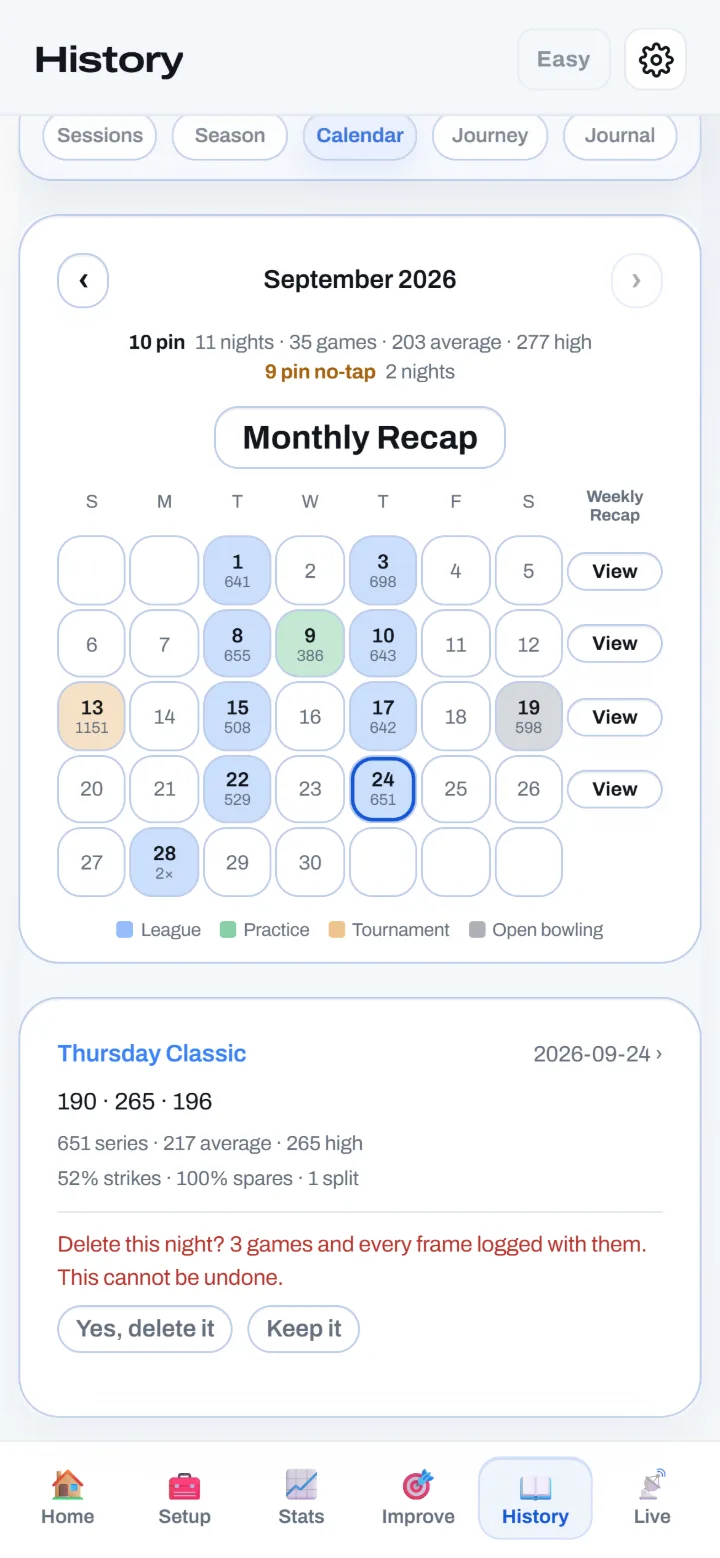
The night leaves Sessions, the Calendar, Stats and your averages.
What goes with it
- A league night, practice or open bowling night: that night's games, with their frames and typed scores, and the night's side game money and Session Notes. If you bowled two nights in the same league that day, like two practices, only the one you tapped goes.
- Points Won and lane conditions for that league on that date go with the night, once no other night in that league that day is left. A teammate's night that date keeps them.
- A tournament day: that day's games, frames and typed scores, and any match play, stepladder or finals bowled that day. The tournament keeps its other days.
- A tournament's only day: the whole tournament goes, and the app says so first, like "Delete Keystone Scratch Classic? This was its only day, so the whole tournament goes: its games, frames, brackets and money. This cannot be undone."
It deletes your night only. Teammates and friends you scored that night keep theirs. A night logged on another bowler's account has no Delete: only they can delete it.
A practice day of only drills or accuracy has no Delete on the Calendar.
Other ways to take something back
- While you're still bowling a league night: Cancel League on Set up. See Saving, finishing, and closing the app mid-night.
- One game, a frame or a ball: see Fixing or deleting a frame or a game.
- A tournament: see Editing or deleting a tournament.