 MY BOWLING JOURNEY
The squad or block is where your qualifying games go. How you enter them follows How will you score it? on Set up: Frame by frame or Game totals. You can switch for any game, the same as on a league night. See Frame Tracking or Game Tracking.
Frame by frame
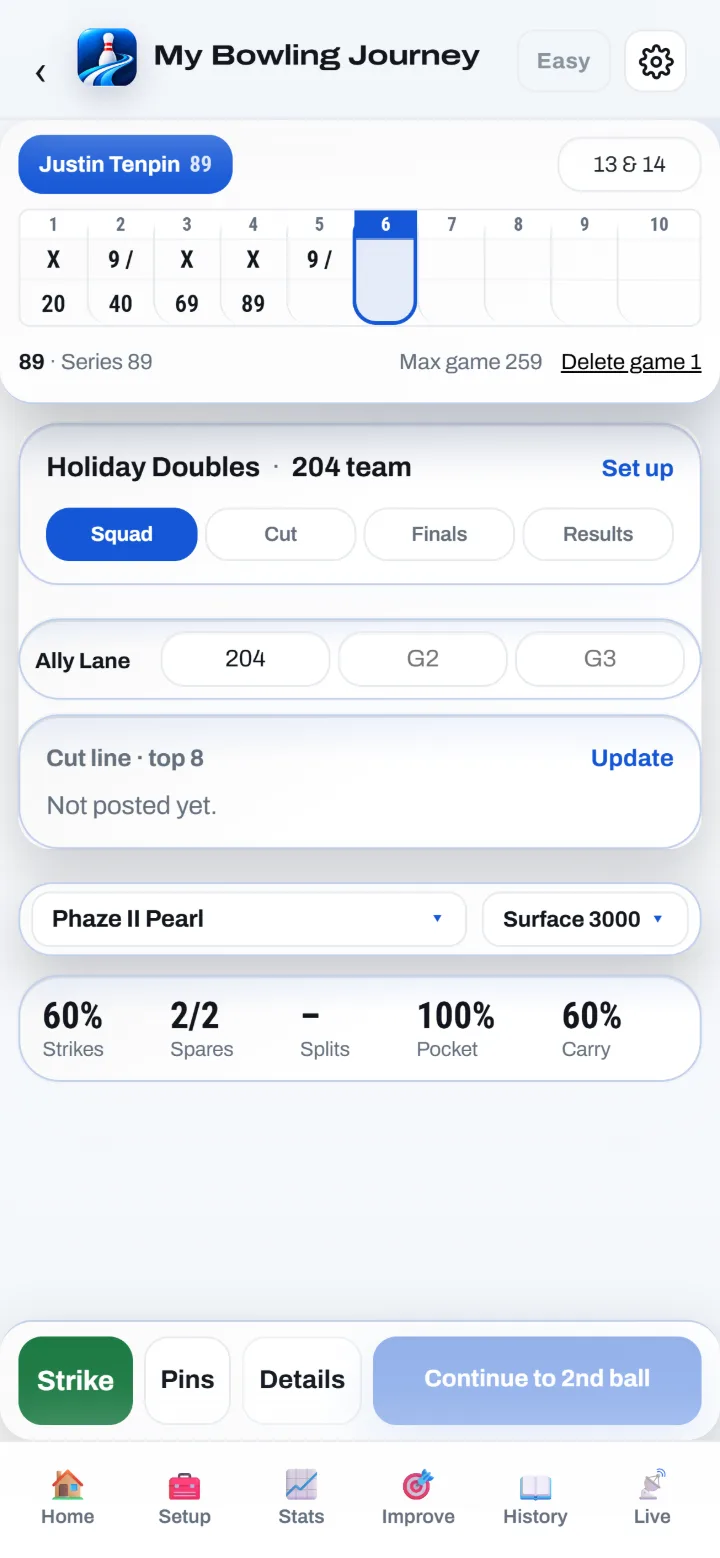
The scorecard and pin deck work the way they do on a league night. See The pin deck, step by step.
- Each game's score fills in on its own once the game is finished.
- Type the game's lane in the Lane # box at the top right of the scorecard. A game you leave empty takes the last lane you typed, moved the way After each game says on Set up.
- The scorecard stops at the squad's or block's last game.
- If you picked a tournament bag on Set up, the Ball card offers its balls. More balls has the rest of your arsenal.
- The event card folds to one line with your pins so far. The cut card still shows on the last qualifying stage.
Your partner or team: a row under the scorecard has a box for each of their games ("G1", "G2" and so on). Type their game totals; their frames aren't kept. With more than three teammates, the row shows one at a time: pick whose from the list. When some games don't count, your own games show in a row there too once every game is in, so you can see which one was dropped.
Game totals
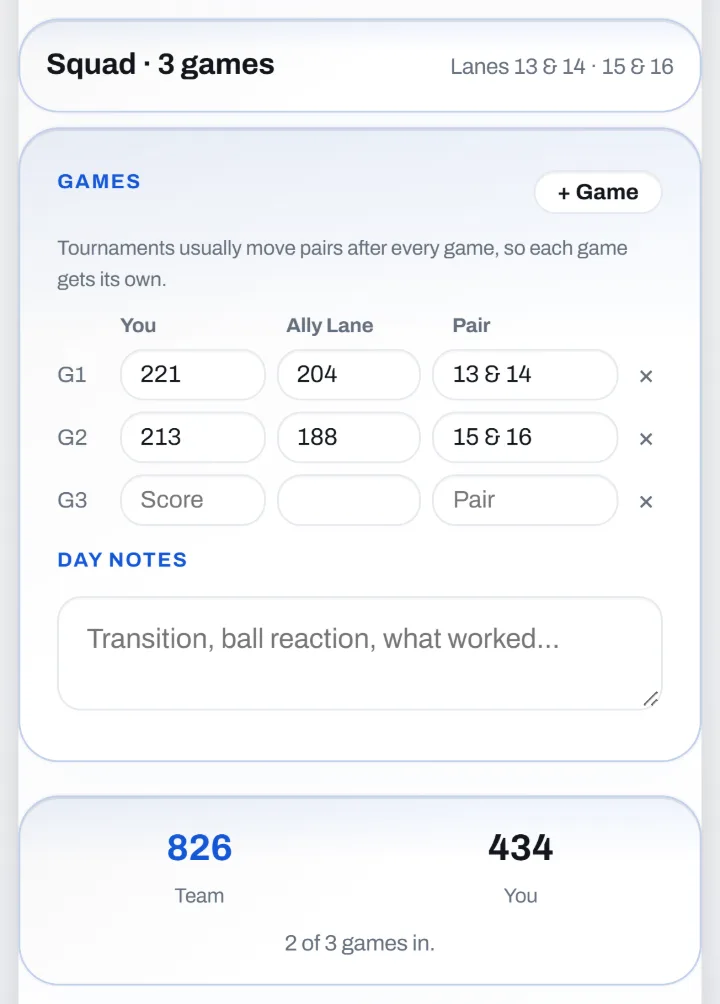
Under the stage's name and games, like "Squad · 4 games", the Games card has a line for each game:
- Type your score in the box beside "G1".
- Doubles or team: type your partner's or teammates' scores in the boxes beside yours, under their names.
- Type the pair (or lane) in the last box. Type one lane and it shows the pair, like 13 & 14.
- Go on to the next game.
- + Game adds a game. The × at the end of a line takes that game off.
- A score you type always wins. If you also logged frames for that game and they add up to something else, a red "≠ 212" shows beside the box. Tap it to use the frames' score instead.
- Day Notes sits at the bottom of the card for anything worth remembering about the day. See Notes on a night.
The totals
Once a game is in, a card under the games adds them up:
- On your own: your Total and Average, with "3 of 4 games in." under them.
- With handicap: Scratch, Handicap and Total, and a line like "3 of 4 games in. Averaging 201 scratch; 239 with handicap."
- Doubles or team: the Team total and your own pins as You.
- Blocks over days: this block's pins, the pins so far with their games, and your scratch average. With Pins carry over on, the earlier blocks count in those, and the stage's card lists them, like "Block 1: 812". Turned off, it's this block alone.
Scoring frame by frame, these totals are on the event's one-line card instead.
Dropped games
When only the best games count, the lowest ones drop once every game in the squad or block is in. A dropped game is grayed out and marked Dropped. In doubles and team events it's the team's lowest game, or each bowler's own, as you picked on Set up. Until every game is in, they all count. See Tournament formats.
Brackets after each game
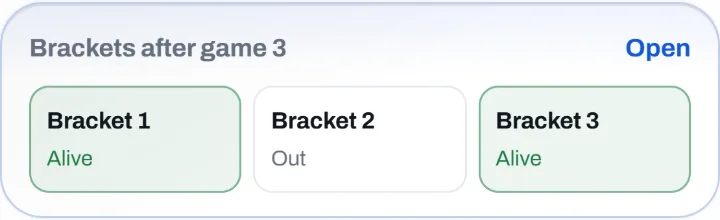
If you picked Brackets on Set up (Pro), a row under the games shows each one, like "Brackets after game 2", with "Bracket 1" and the rest marked Alive, Out, Cashed or Won. Tap Open to change them. See Brackets and side pots.
When the games are in
On the last qualifying stage, a line under the games says what's next: "After game 4 you'll be asked: did you make the cut?" or, with no cut, which stage opens. When every game is in (every bowler's, in doubles and team events), a button opens the next stage, like Next: Results. The cut card is on The cut.