 MY BOWLING JOURNEY
Results is the last stage of every tournament. It opens by itself once the last game is in, or tap it in the row any time. From the top: How did it finish?, How it went, the Cash Book, the Nightcap, Lines tonight and Tournament Notes.
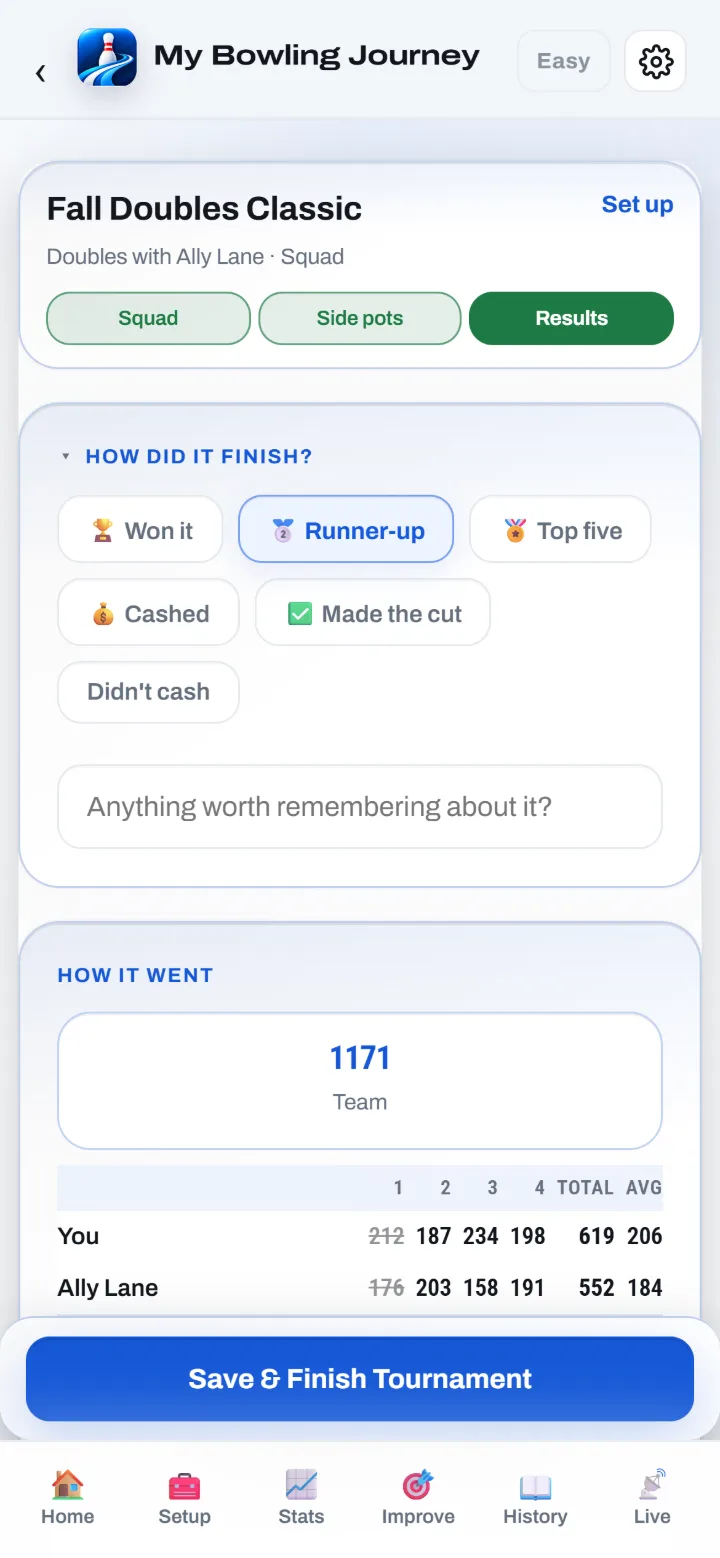
How did it finish?
At the top, a line says how far you got, like "Made the cut, 5th of 8 · Match play 5-3" or "Missed the cut". Under it, when they apply: match play's record and total, a cut still "Not posted yet", and the stages you didn't get to as "Not reached".
- Tap how it finished: Won it, Runner-up, Top five, Cashed, Made the cut or Didn't cash. Tap it again to clear it.
- For anything but Didn't cash, a box asks Anything worth remembering about it?
- Pick Won it and the app celebrates with you.
- The stepladder or the finals fill this in for you when they settle it, if you haven't picked already. See Stepladder and finals.
- With separate events, there's a row of choices for each event and one for All events. With a Singles pot, there's one for the event and one for Singles.
Your pick shows on the line at the foot of Home, as the headline of the picture from Share this tournament, and in your badges.
The Cash Book
The tournament's own money (Pro).
- Type the entry fee in Tournament buy in $.
- Type what the event paid you in Tournament winnings $. Only the tournament's payout goes here. Brackets and side pots go on their own stage, so they aren't counted twice.
Under the boxes, each amount on its own line: Tournament buy in, Tournament winnings, and with side action, a buy in and a winnings line for each kind you bought: Brackets buy in and Brackets winnings, "Eliminator buy in" and "Eliminator winnings", "Side pots buy in" and "Side pots winnings", "Singles buy in" and "Singles winnings". Then the event's net, like "$30 net". It all adds up in Stats too: see The Cash Book.
On the free plan, the card says "Tracking your entry, winnings, brackets and side pots at a tournament is part of Pro. Side games in league stay free." with See what Pro adds.
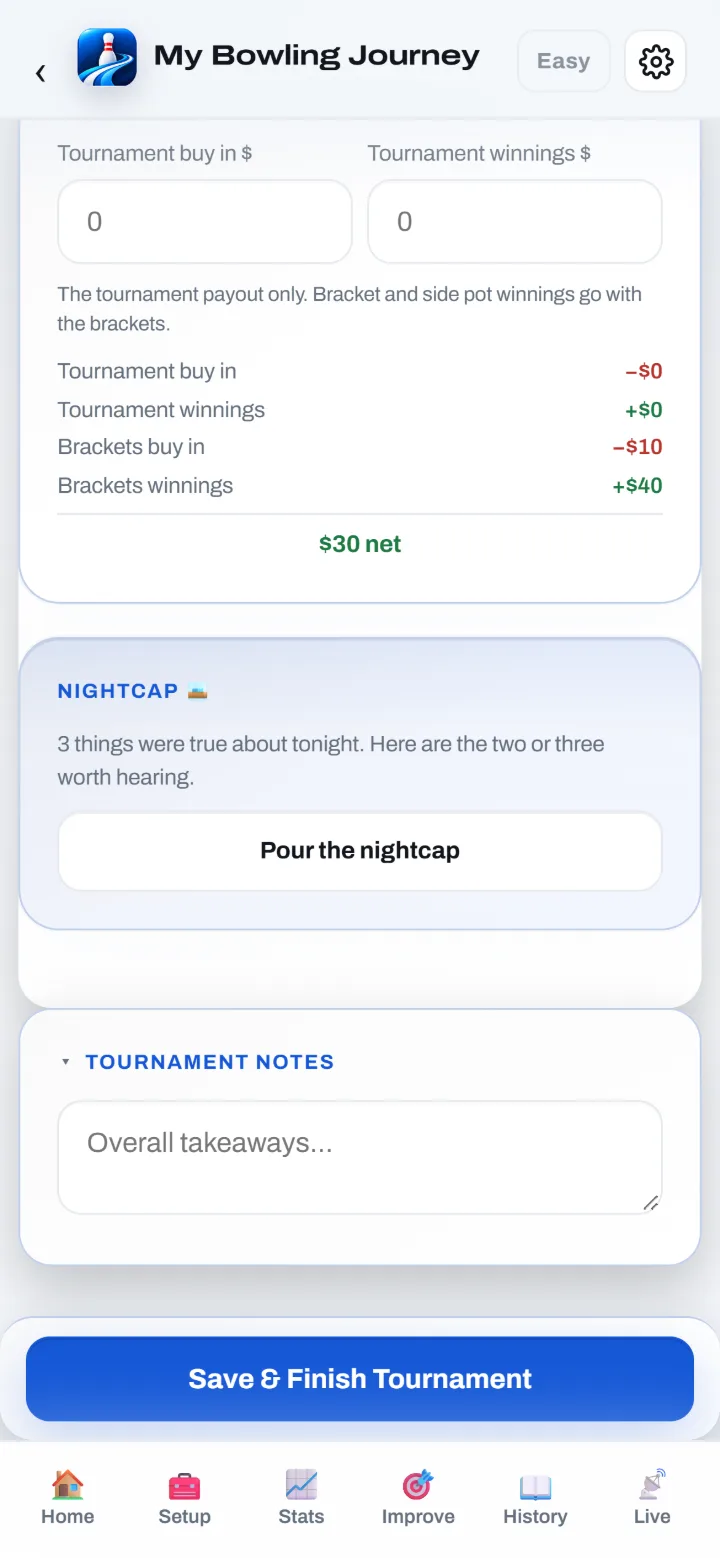
The rest of Results
- How it went: every game and stage, and Share this tournament. See The tournament recap.
- Nightcap: the AI's short write-up of your day (Pro). See The Nightcap.
- Lines tonight: the lines you drew today. See Lines tonight.
- Tournament Notes: your takeaways from the whole event. See Notes on a night.
Saving and finishing
- View Results, on the bar while you bowl, saves the event as it stands and opens Results. It doesn't end it.
- Save & Finish Tournament, on the bar on Results, ends it: the event goes into your history, today's games are filed, and you're back on Home. Next time you tap Tournament on Home, it's a new one.
- Close tournament shows on Results once you've saved from View Results. Tap it, then Yes, close it, to start a new tournament, or Keep working on it. Closing saves the event as it stands first, so a finish or money typed after View Results is kept.
- Open an event that's over on its Set up and it asks if you're starting a new one: New tournament or Not now. New tournament saves the event as it stands too.
If the event has no name, saving says "Give the tournament a name first. It's on the Set up tab."