 MY BOWLING JOURNEY
Every new account has Pro for its first 30 days. There's no card on file, so nothing is charged when it ends. You move to the free plan unless you choose Pro.
During the trial
- Everything in Pro is unlocked.
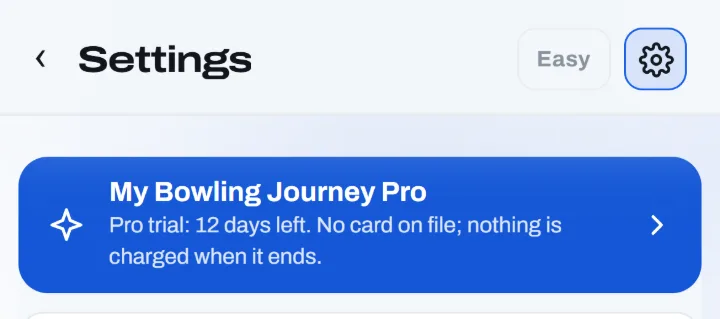
- The banner at the top of Settings, and Settings > Account, count the days: "Pro trial: 12 days left. No card on file; nothing is charged when it ends."
- You can subscribe early, and billing starts that day. Or wait: the app asks when the trial ends.
The last week
In the trial's last 7 days, a card at the top of Home says how many days are left, like "Your Pro trial ends in 5 days". It's built from your own 30 days:
- A headline from what you used most, like the ball you've thrown most or the Nightcaps you've poured.
- What you've been using that the Free plan doesn't include: only the Pro things you actually used, each with your own numbers.
- Two buttons to keep Pro, like "Keep Pro · $2.99/month" and "Or $9.99 for the first year, then $14.99/year". Each opens the Pro screen with that plan picked.
- The Free plan keeps: what stays free.
- Not now puts the card away until tomorrow.
With notifications allowed, your phone also tells you 3 days before the end: 3 days left of Pro.
When it ends
The card then says Your Pro trial has ended, and stays at the top of Home until you choose:
- Tap a button to keep Pro and subscribe.
- Or tap Continue with Free.
Got more than one league? The card asks which one to keep first. Under Choose your active league, every league is listed, with the one you bowled last picked. Tap the one you want, then Continue with Free.
When a paid Pro ends
Subscribed, and your subscription has ended (on Google Play, the App Store or the web)? The card at the top of Home says "Your Pro has ended" instead, with "Your scores and stats stay free. Pick Pro back up any time." It has the same buttons to keep Pro, what the free plan keeps, and Continue with Free, with the active league question when you have more than one league. If a later subscription ends too, the card asks again.
Your active league
On the free plan, the app follows one league: your active league. The others are paused.
- Nothing is deleted. A paused league's nights stay in your account and in your exports, and come straight back when you subscribe.
- A paused league's nights are left out of your stats, and it isn't offered when you start a league night.
- On a paused league's night, Set up says so, like "Thursday Classic is paused on the Free plan", with Get Pro. Its reminder says "Thursday Classic is tonight. It's paused on the Free plan."
- Practice, open bowling and tournaments aren't leagues, so they're there either way.
- A league you've hidden isn't offered and doesn't count.
Nothing is paused until you choose. Until then, Home asks with the Choose your active league card, and so does a league night before Set up opens. Pick the league and tap Keep this league, or Get Pro. Your choice is saved with your account.
Changing it once
You can change your active league once.
- Go to Setup > League. The Your active league card names it, and the leagues that are paused.
- Tap Change it once.
- Pick the league and tap Make it my league.
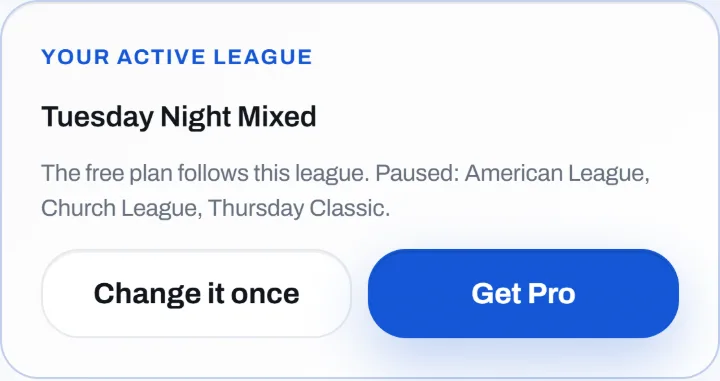
On a paused league's night, Make it my league on Set up does the same, as long as your one change is left.
After that, switching leagues is part of Pro. The card says so and offers Get Pro.