 MY BOWLING JOURNEY
Live is the last tab on the bar at the bottom, in the full app, in Easy mode and during an Open bowling night. Its screen is called On the Lanes: a bowling center tonight, frame by frame, as the bowlers who share their scores enter them. Live is free.
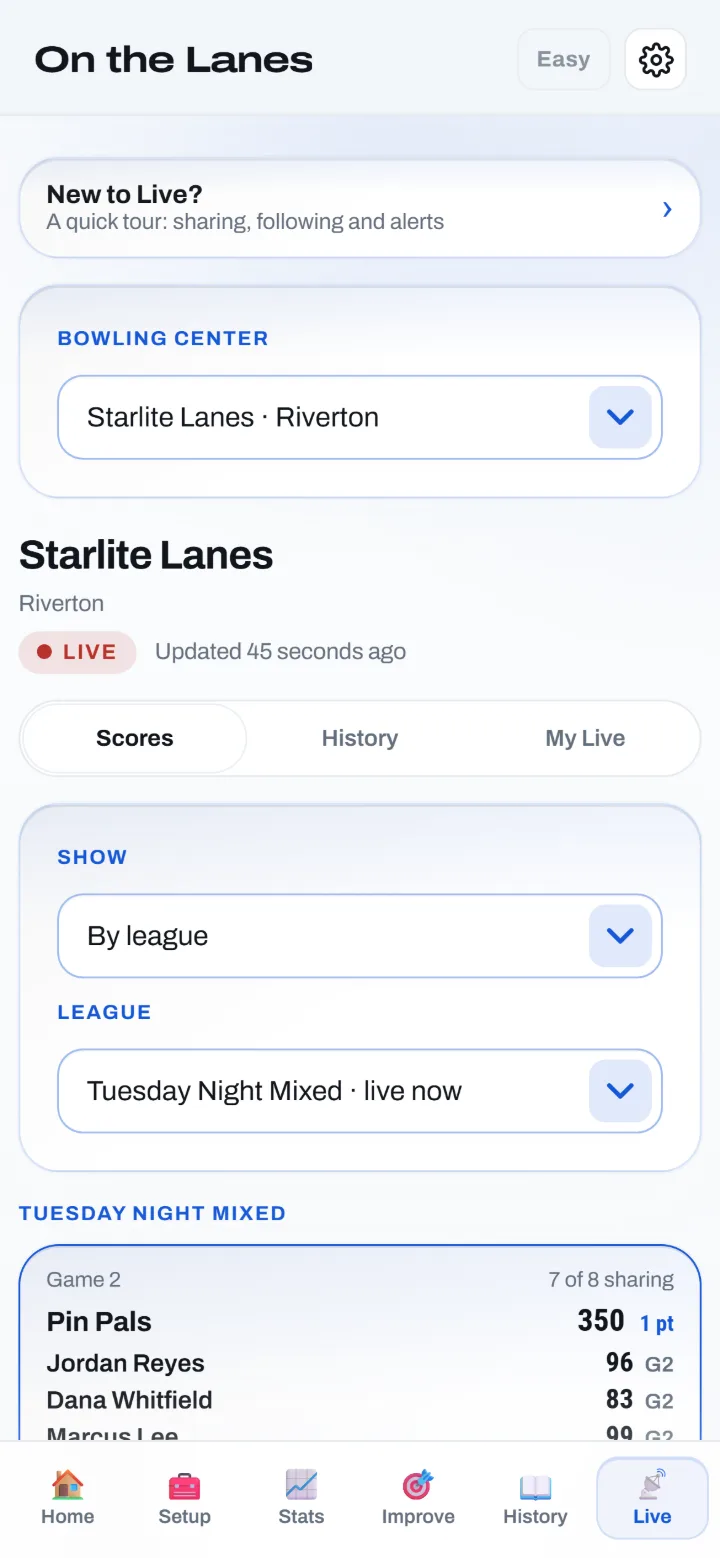
Pick a bowling center
The Bowling center box at the top lists the centers set on your leagues, practice and tournaments, your home centers, and any you've found before. Live opens on the center an alert was about, or else tonight's league's center, or else the last one you looked at. Any other center is a search away: see Scores at a bowling center.
The three tabs
| Tab | What it shows |
|---|---|
| Scores | Who's bowling there tonight: each league's matches, team against team, or everyone lane by lane. See Scores at a bowling center. |
| History | The last 30 days of nights bowled there, searchable by name or team. See Live: History. |
| My Live | Your sharing switch, the name others see, the teams and bowlers you follow, and the center's live link. See My Live. |
Is anyone bowling?
Under the center's name on Scores:
- LIVE shows in red while frames are going in. It goes once nobody has entered a frame for 20 minutes.
- A line like "Updated 45 seconds ago" says when the last frame came in. The board checks for new frames every 20 seconds while it's on your screen.
- Before anyone sharing has bowled tonight, it says "Nobody sharing has bowled here tonight yet."
- Just after midnight, a night that ran late can still be on the board. Then a line says "Scores from" with that night's date, so finished games don't look live.
Who's on the board
Only bowlers who chose to share their scores live. You're not on it until you turn sharing on, either from the question a night asks at a bowling center or on My Live. While you're not sharing, Scores shows You're not sharing live. Tap it to go to My Live.
The scores are the bowlers' own: "Scores are entered by the bowlers, not by the center's scoring system."
New to Live?
Until you've taken it, the New to Live? card at the top starts a quick tour: sharing, following and alerts.
In the example account, Live shows a made-up night. Nothing on it saves.